A walk board for the whole team, built by draggingNEW
One column per walker and one card per walk. Drag dogs onto walks, drag a walker onto a walk to assign it, or drag a whole pack to another walker. When the day looks right, copy it to next week or set it to repeat.
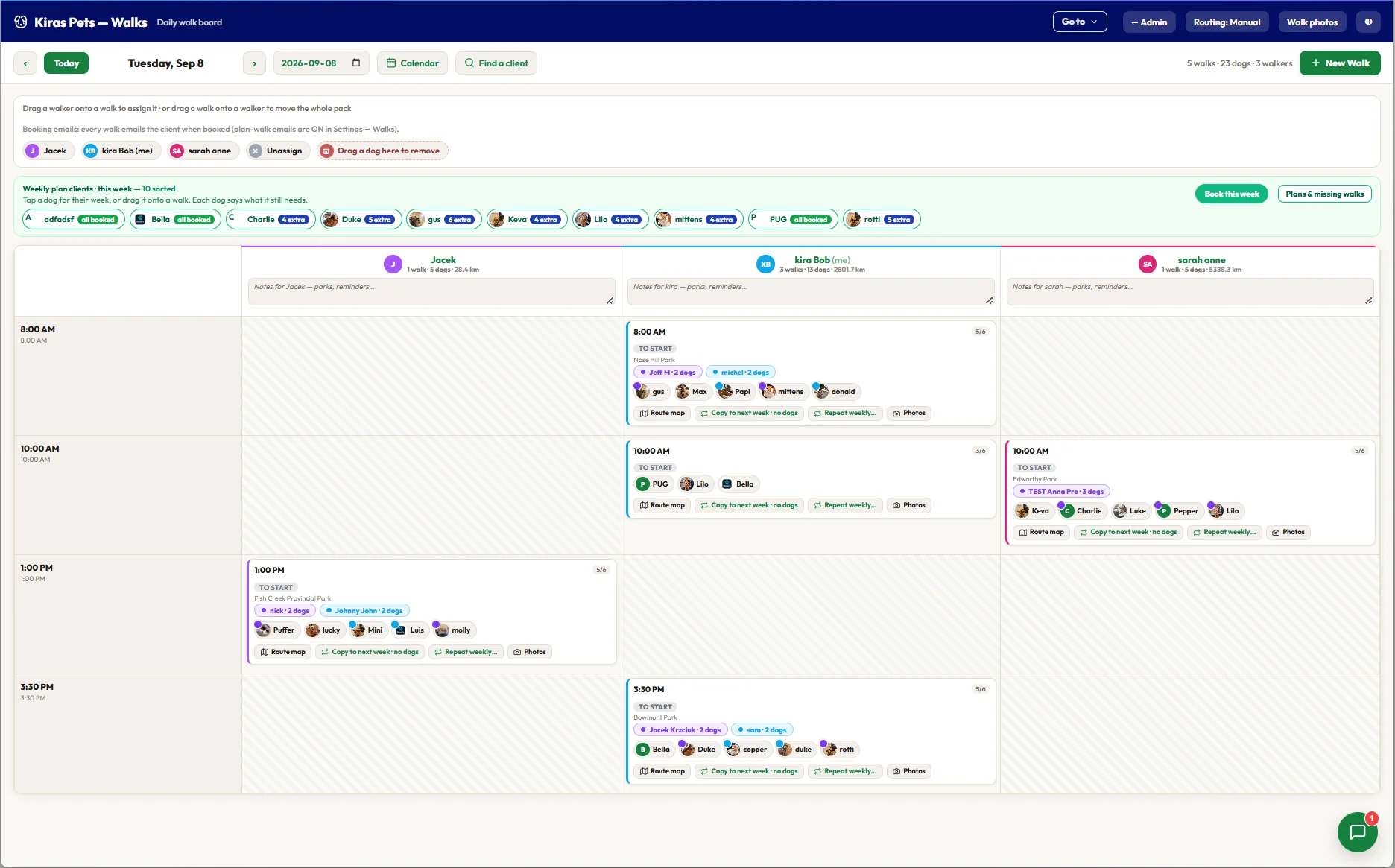
- 1New Walk: a time, a walker and a park, and it is on the board.
- 2Drag a walker onto a walk to assign it.
- 3Drop a dog here to take it off a walk.
- 4One column per walker, with walks, dogs and distance for the day.
- 5Capacity on every walk, such as 5 of 6.
- 6Copy to next week or Repeat weekly, with or without the dogs.
Hover a number, or tap the screen to see it full size.
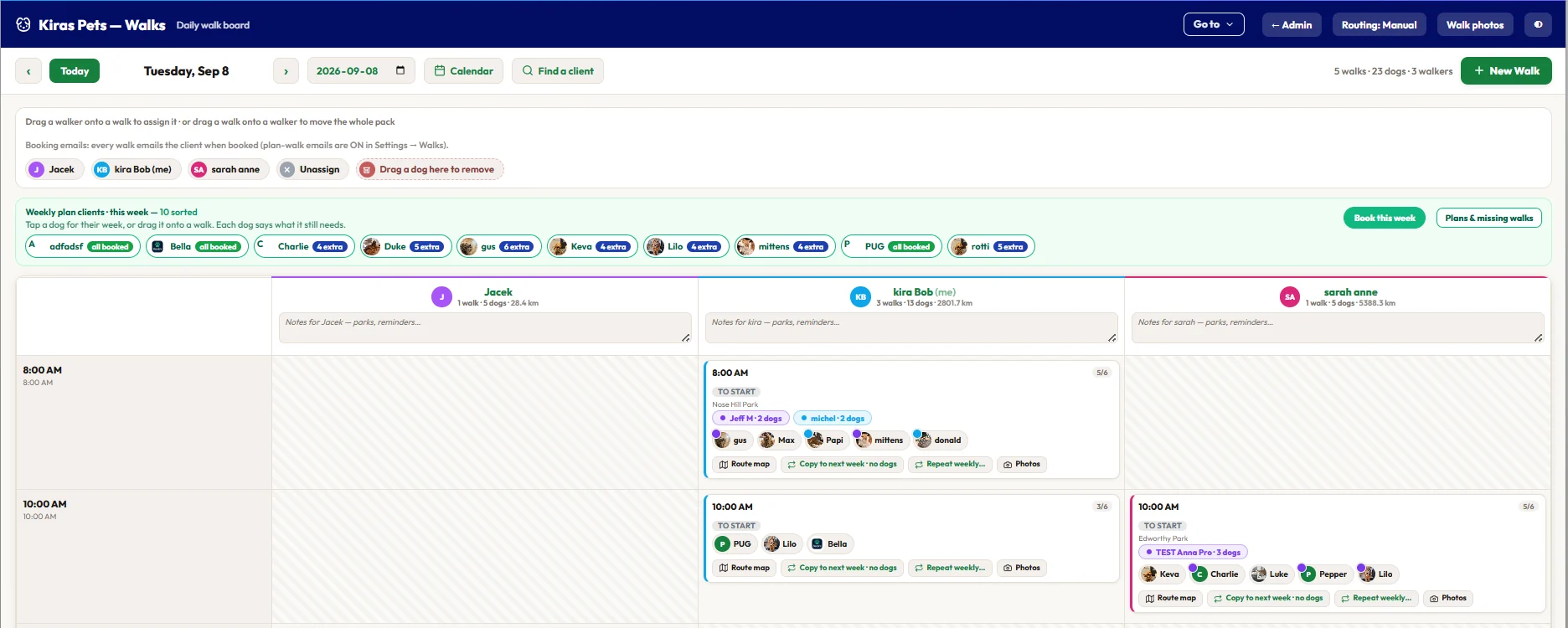
- 1Every weekly plan client sits above the board.
- 2Each dog shows where its week stands.
- 3Book this week places everyone who is short in one go.
Hover a number, or tap the screen to see it full size.
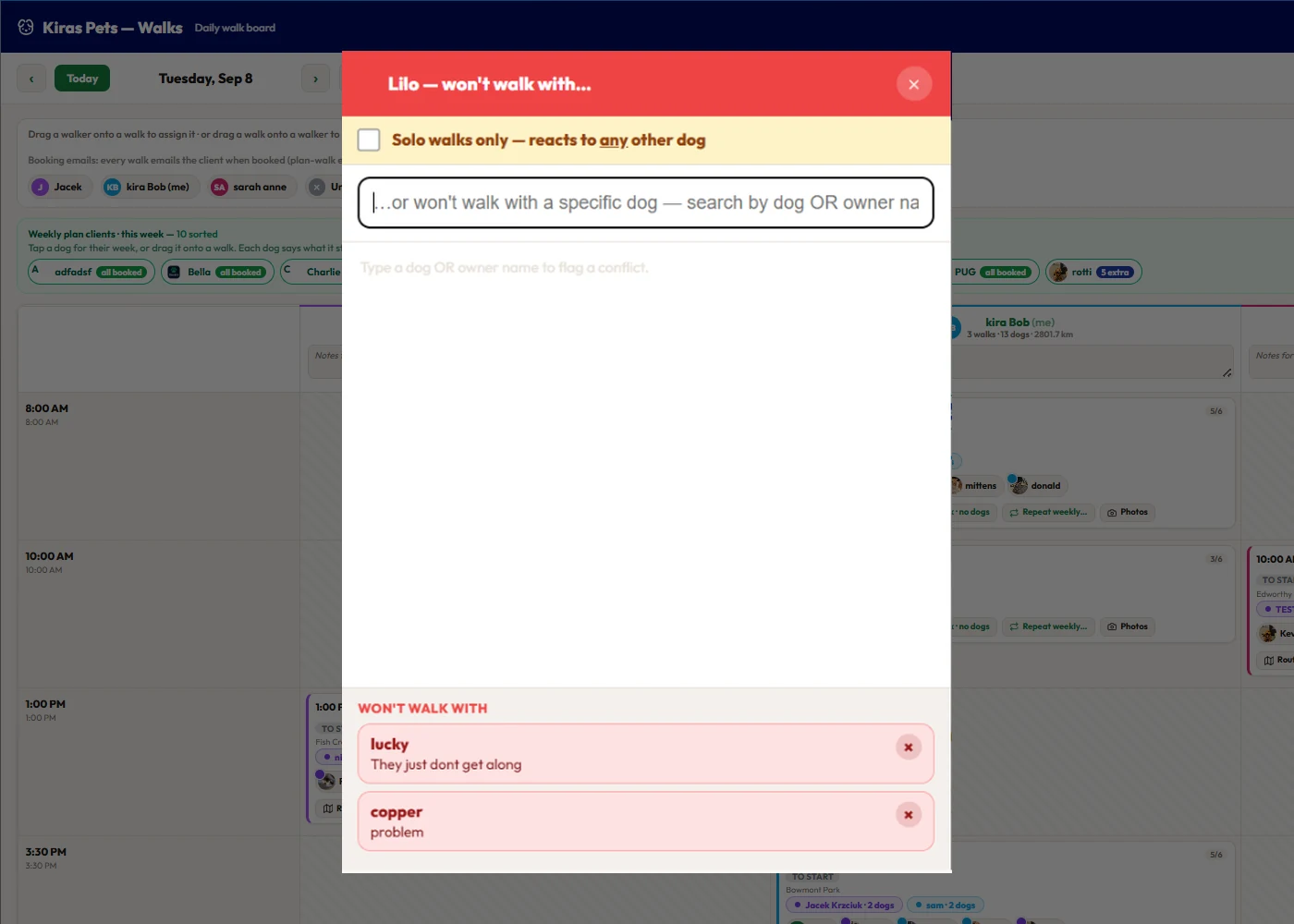
- 1Solo walks only, for a dog that reacts to every other dog.
- 2Flag a specific dog by the dog's or the owner's name.
- 3The flagged dogs, each with a reason your walkers can read.
Hover a number, or tap the screen to see it full size.
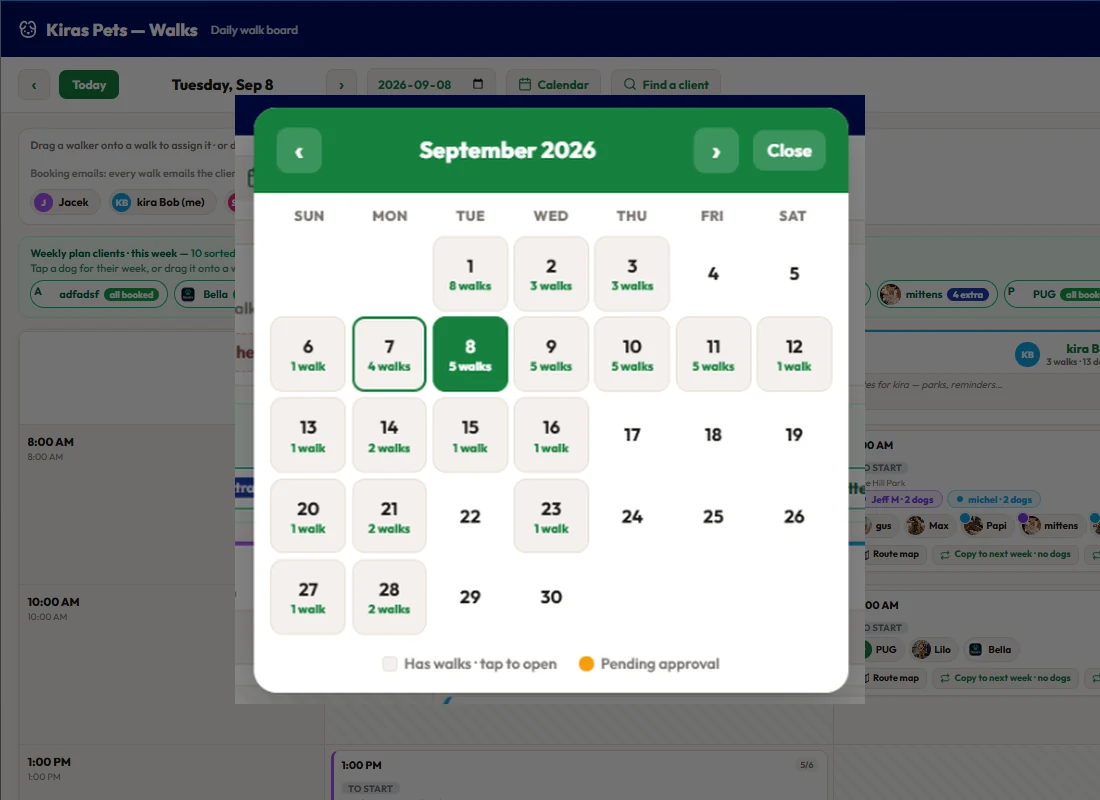
- 1The month at a glance.
- 2How many walks are built each day. Tap a day to open it.
- 3Days with walks waiting for approval are marked.
Hover a number, or tap the screen to see it full size.
What it does
Plan every walker's day on one board. Drag dogs between walks and walkers, copy a day to next week or repeat it weekly, and get warned about full walks and dogs that do not get along.
One column per walker
Every walker's day side by side, one card per walk with the park, the households and the dogs.
Drag and drop
Dogs between walks, walkers onto walks, whole packs between walkers.
Copy or repeat
Copy a walk to next week or set it to repeat weekly, with or without the dogs.
Capacity on every walk
Each card shows how full it is and warns before you overfill it.
Dogs that do not get along
Flag the pair once. The board warns before a walk saves with both on it. The flag works both ways.
Solo-only dogs and private walks
A dog can be marked solo walks only. Private walks sit on the same board and never merge into a group by accident.
Plan clients on the board
Weekly plan dogs sit above the board with what they still need. Book this week places everyone who is short.
Month view and client search
See how many walks are built each day, and jump straight to a client's walks.
On the phone too
Move a dog between walkers from the phone. The walker's list and the client's app update at once.
How it works
Build a day
Add walks with a time, walker and park.
Add the dogs
Drag them on from the plan strip.
Repeat it
Copy to next week or repeat weekly.
Adjust on the day
Drag dogs and packs as the morning changes.
What your clients see
Clients see their booked walks in the Book'n app. Plan walks can be placed quietly, so building weeks ahead does not send a message for every walk.
Good to know
- Warnings are warnings, not blocks. Capacity, conflicts and private-walk merges ask first and let you go ahead.
- The board plans one day at a time. The month view shows counts per day, not the walks themselves.
- Conflict flags are private to your business. Owners never see them.
Questions
Can I schedule several dog walkers at once?
Yes. Each walker has a column on the board, and you drag dogs and walks between them.
Can I repeat the same walks every week?
Yes. Copy a walk to next week or set it to repeat weekly, with or without its dogs.
Does it stop me putting two dogs that fight on one walk?
It warns you. Flag the pair once and the board checks every add and drag. You can override it.
Can I change the board from my phone?
Yes. Dogs can be moved between walkers on the phone as well as the computer.
Related features
Try it with your own bookings
Every feature is included. Start a free trial, no card needed.