GPS walk reports and pickup routes that plan themselves
Tap Start run and the app works out the fastest pickup order from where the walker is standing, tells the first owner you are on the way, and opens directions. The walk itself is GPS tracked, and the owner gets a report card with the route, the weather and photos.
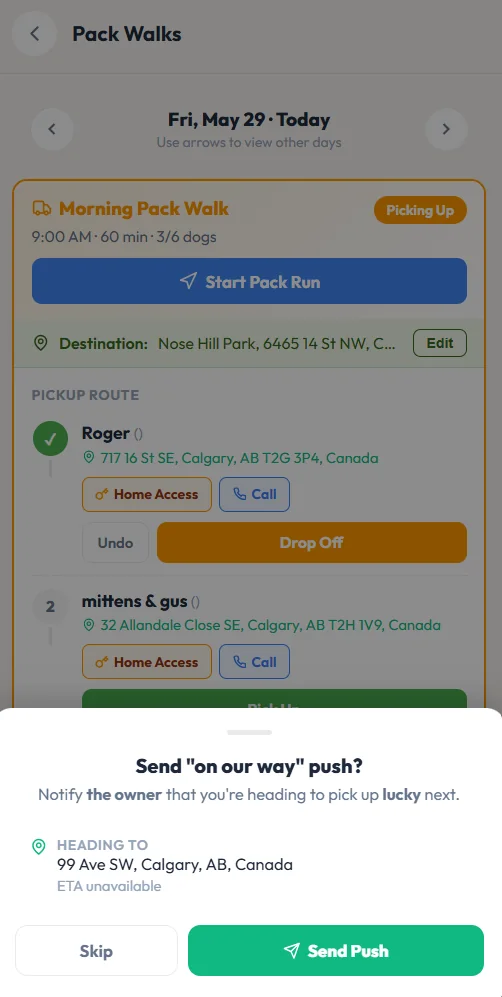
- 1Start Pack Run puts the pickups in the fastest order from where you are.
- 2Pickup stops in order, ticked off as each dog gets in the van.
- 3Home access notes and a call button at every stop.
- 4One tap tells the owner you are on the way, with an arrival time when traffic data is available.
Hover a number, or tap the screen to see it full size.
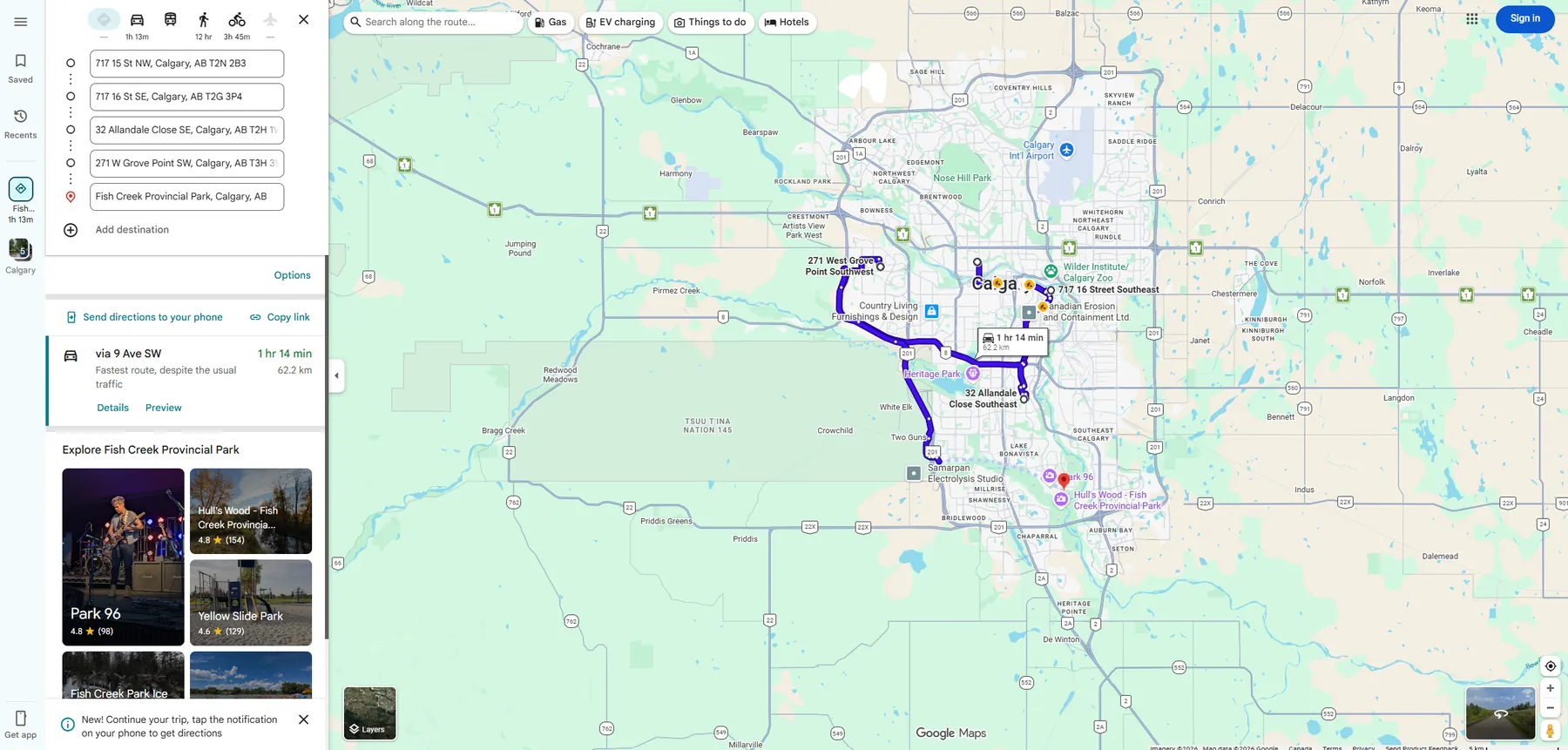
- 1Every pickup and the park, in order, as one multi-stop route.
- 2Drive time and distance for the whole run.
- 3Turn-by-turn directions in the maps app the walker already uses.
Hover a number, or tap the screen to see it full size.
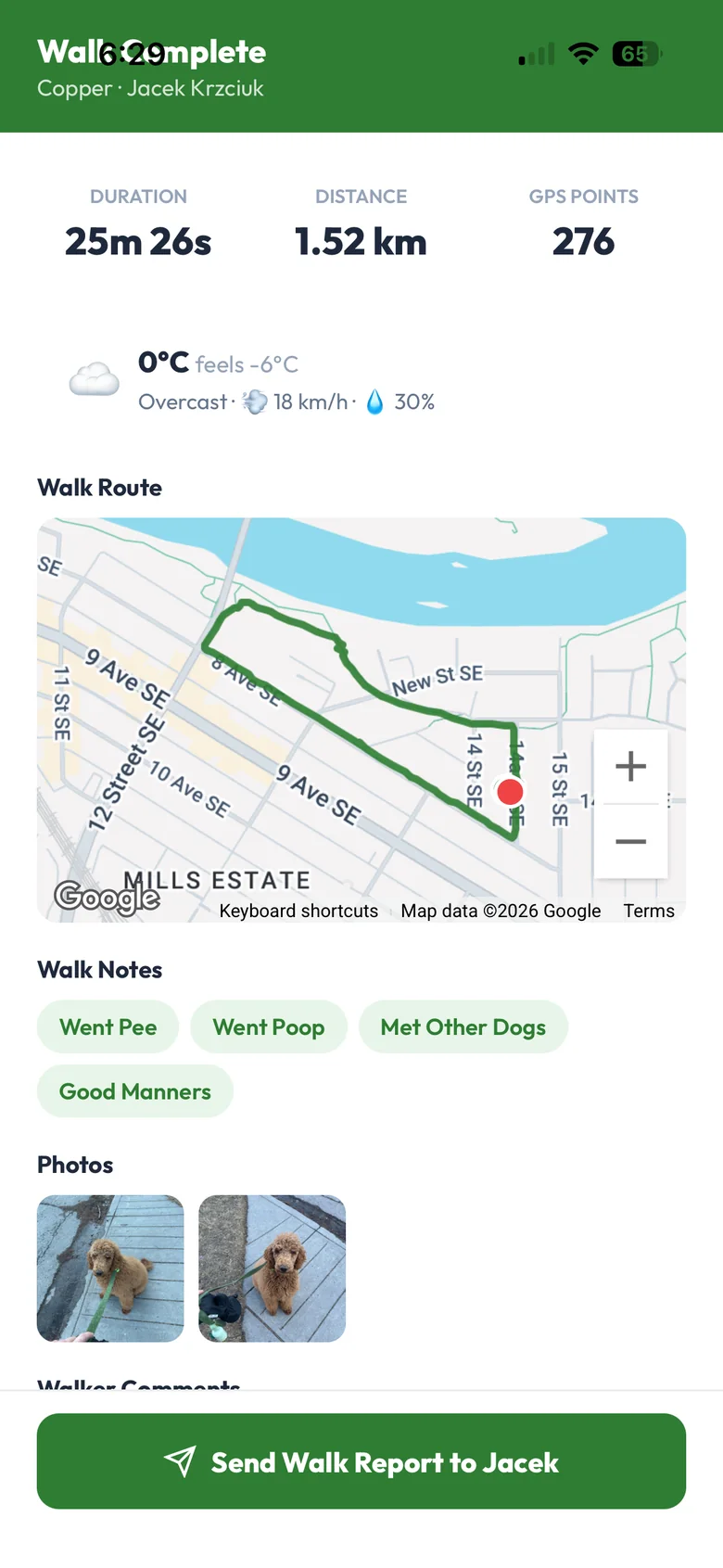
- 1Time, distance and GPS points, recorded while the dog walks.
- 2The weather at walk time, filled in for you.
- 3The route drawn on a map.
- 4Quick notes like pee, poop, met other dogs.
- 5Send the report to the owner.
Hover a number, or tap the screen to see it full size.
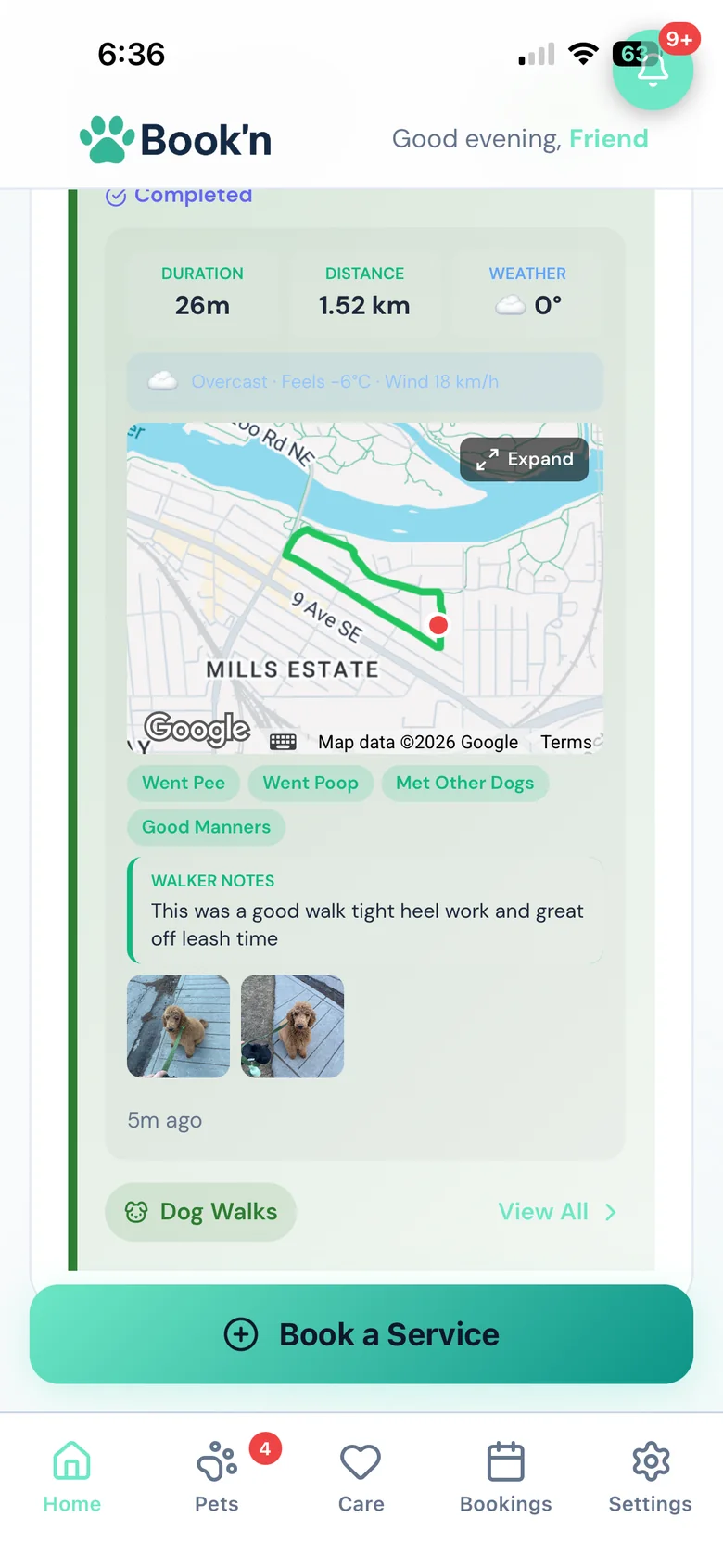
- 1Length, distance and weather.
- 2The route map. You can switch it off for the owner.
- 3The walker's own words.
- 4Photos from the walk.
Hover a number, or tap the screen to see it full size.
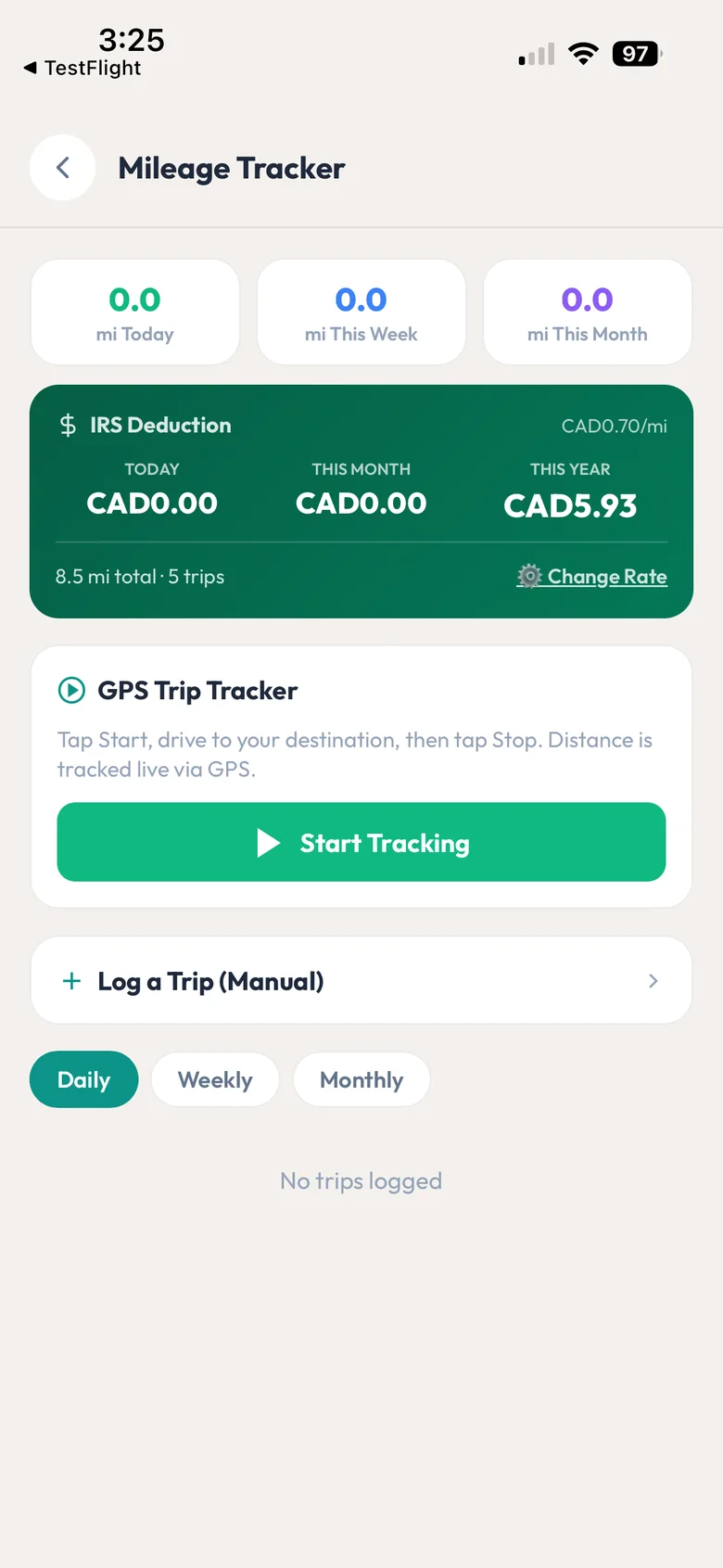
- 1Distance today, this week and this month.
- 2The tax deduction worked out at your rate, with CRA and IRS presets.
- 3GPS trip tracking, or log a trip by hand.
Hover a number, or tap the screen to see it full size.
What it does
Start a run and the walker app puts pickups in the fastest order using live traffic, tells the next owner you are on the way, and opens directions. Every walk is GPS tracked with distance, weather, photos and a report card.
Pickup order by live traffic
Start run orders the pickups by real drive times from the walker's current location, then on to the park and back for drop-offs.
One stop per household
Dogs from the same address are picked up in one stop.
On-my-way messages
The first owner is told automatically, with an arrival time. Every other stop is one tap.
Directions
The whole run opens as a multi-stop route in the walker's maps app.
GPS walk tracking
Route, distance, time and GPS points are recorded during the walk.
Weather on every walk
Temperature, feels-like, wind and conditions are added to the report.
Report cards
Notes, photos and the walker's comments go to the owner the moment the dog is dropped off.
You control the map
Switch the route map and the walk times off on the owner's report. They are still saved for you.
Manual routing if you prefer
Turn off auto-routing and walkers set their own order. It is remembered for each walker and weekday.
Mileage log
GPS trip tracking or manual trips, in km or miles, with the deduction worked out at your rate.
How it works
Book the walk
Dogs are added from the walk board or weekly plans.
Start run
The app orders the pickups and tells the first owner.
Walk
GPS records the route; add notes and photos.
Drop off
The owner gets the report card.
What your clients see
Owners get an "on my way" message before pickup, then a report card with the route map (if you allow it), distance, weather, notes and photos in the Book'n app.
Good to know
- The pickup order is worked out stop by stop from live drive times. It is fast and practical, but it is not a full route planner for a whole team's day.
- It does not split dogs between walkers by area. You assign walkers on the walk board.
- Each dog needs a home address on file, and the walker's phone needs location turned on.
- Directions open in Google Maps or Apple Maps. BooknBuddy does not do its own turn-by-turn navigation.
Questions
Does BooknBuddy have GPS tracking for dog walks?
Yes. The walker app records the route, distance, time and GPS points on every walk, adds the weather, and sends the owner a report card with a map.
Does it optimize pickup routes?
Yes. Start run puts the pickups in the fastest order using live drive times from where the walker is, tells the first owner you are on the way, and opens a multi-stop route in the maps app.
Can walkers choose their own order instead?
Yes. Turn on manual routing and walkers order stops with arrows. Their order is remembered for each weekday.
Can I hide the GPS map from clients?
Yes. The route map and the walk times each have their own switch. They are still saved for your records.
Does it track mileage for taxes?
Yes. GPS or manual trips, in km or miles, with CRA and IRS rate presets you can change.
Related features
Try it with your own bookings
Every feature is included. Start a free trial, no card needed.