Hours, pay and schedules, ready for payroll
Staff clock in with a PIN at the desk or on their phone. At the end of the pay period you get hours by role, wages, walk pay and tips, ready to export for your payroll provider.
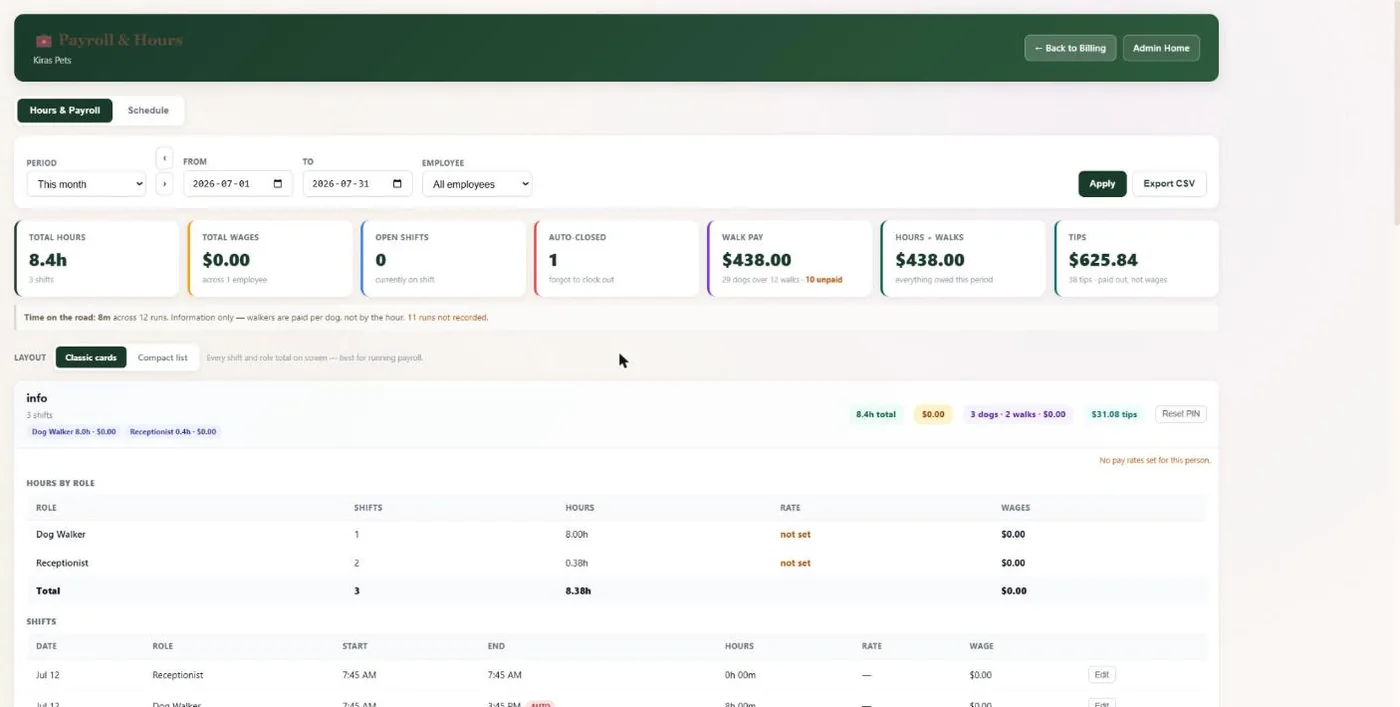
- 1This week, fortnight, half month, month or your own dates.
- 2Total hours and wages for the period.
- 3Shifts left open are closed and flagged so nothing is overpaid.
- 4Walk pay and tips for the same period.
- 5Hours split by role when someone works more than one.
Hover a number, or tap the screen to see it full size.
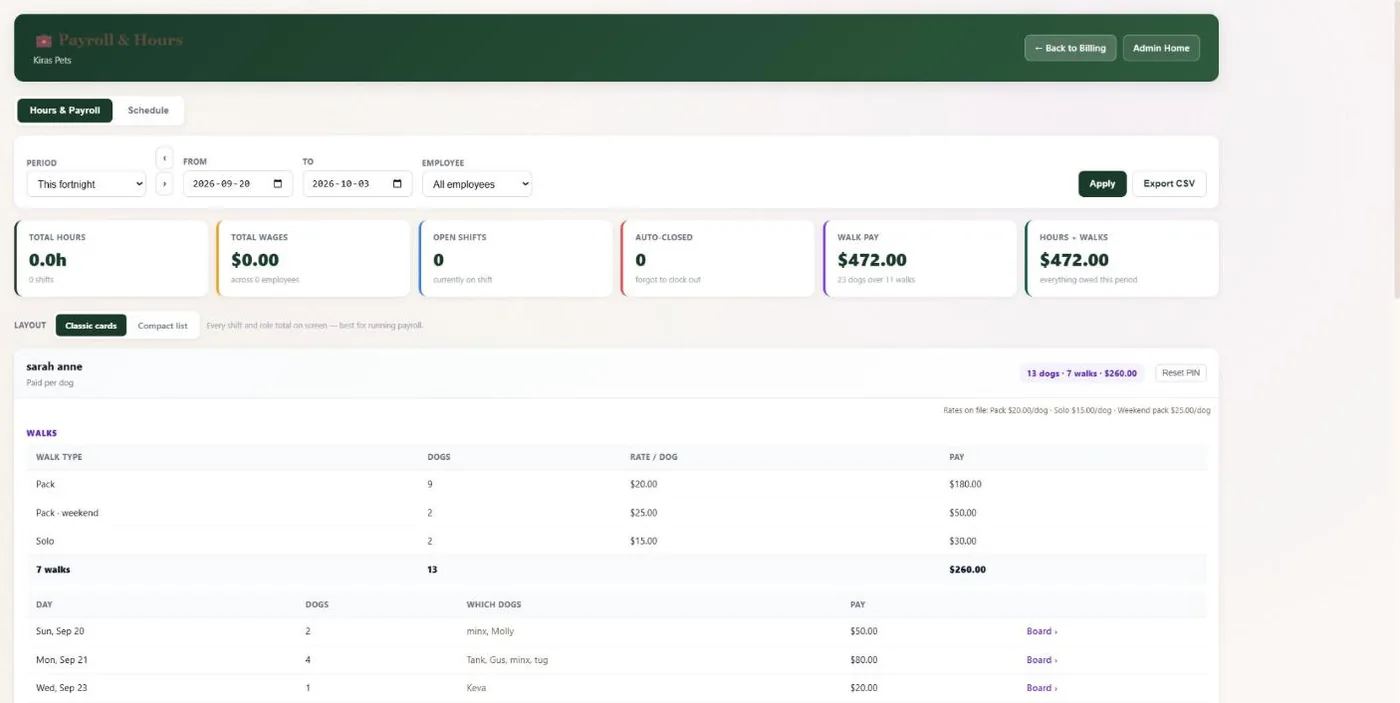
- 1Dogs, walks and pay for each walker.
- 2Pack, weekend and solo rates per dog.
- 3Export everything to CSV.
Hover a number, or tap the screen to see it full size.
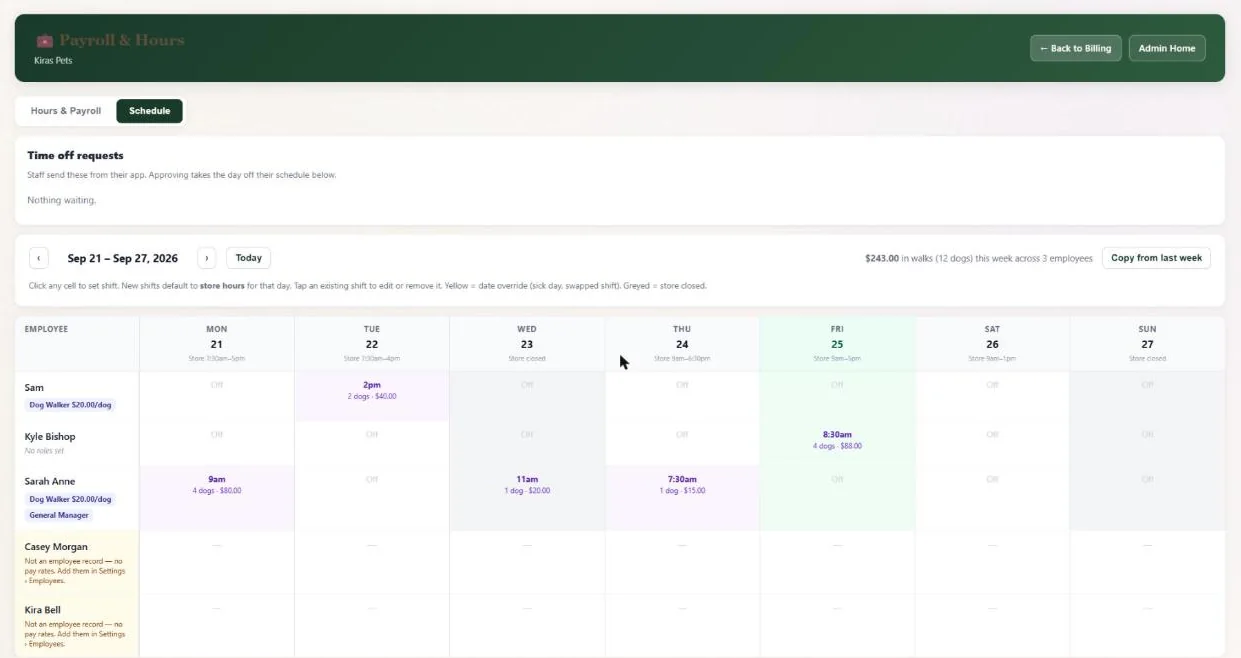
- 1Time-off requests from the staff app. Approving takes the day off the schedule.
- 2Copy last week in one tap.
- 3Shifts with the walks and pay booked on them.
Hover a number, or tap the screen to see it full size.
What it does
Staff clock in and out with a PIN on the desk or their phone. Hours by role, wages, per-dog walker pay and tips add up for any pay period and export to CSV. Weekly schedules and time-off requests included.
PIN clock-in
At the desk or on the phone app. Staff with more than one role choose which one they are working.
Rate locked at clock-in
The hourly rate for that role is saved on the shift.
Forgotten clock-outs
Shifts left open over 16 hours close at 8 and are flagged so you can fix them.
Per-dog walker pay
Pack, solo, weekend, extra-dog and new-dog rates, worked out from the walks.
Weekly schedule
Set shifts on a weekly grid, override single days, split shifts across roles and copy last week.
Time off
Staff request days off from their app. You approve with a note and the schedule updates.
How it works
Set rates
Hourly rates by role and walker pay per dog.
Staff clock in
With their PIN.
Check the period
Fix any flagged shift.
Export
Send the CSV to your payroll provider.
Good to know
- BooknBuddy adds up hours and gross pay. It does not pay staff, withhold tax or produce payslips.
- There are no overtime or holiday pay rules.
- Clock-in does not check GPS or take a photo.
Questions
Does it run payroll?
No. It totals hours, wages, walk pay and tips for the period and exports a CSV for your payroll provider.
What if someone forgets to clock out?
The shift closes at 8 hours, is flagged, and you can edit it.
Can staff clock in from their phone?
Yes, with their PIN in the phone app.
How are walkers paid?
Per dog, with weekend, extra-dog and new-dog rates. Walkers see the same amount in their app.
Related features
Try it with your own bookings
Every feature is included. Start a free trial, no card needed.