Reports your accountant will actually use
Close the day, check that the bank deposit matches, chase what is overdue and hand your accountant the tax report. Every report exports to CSV.
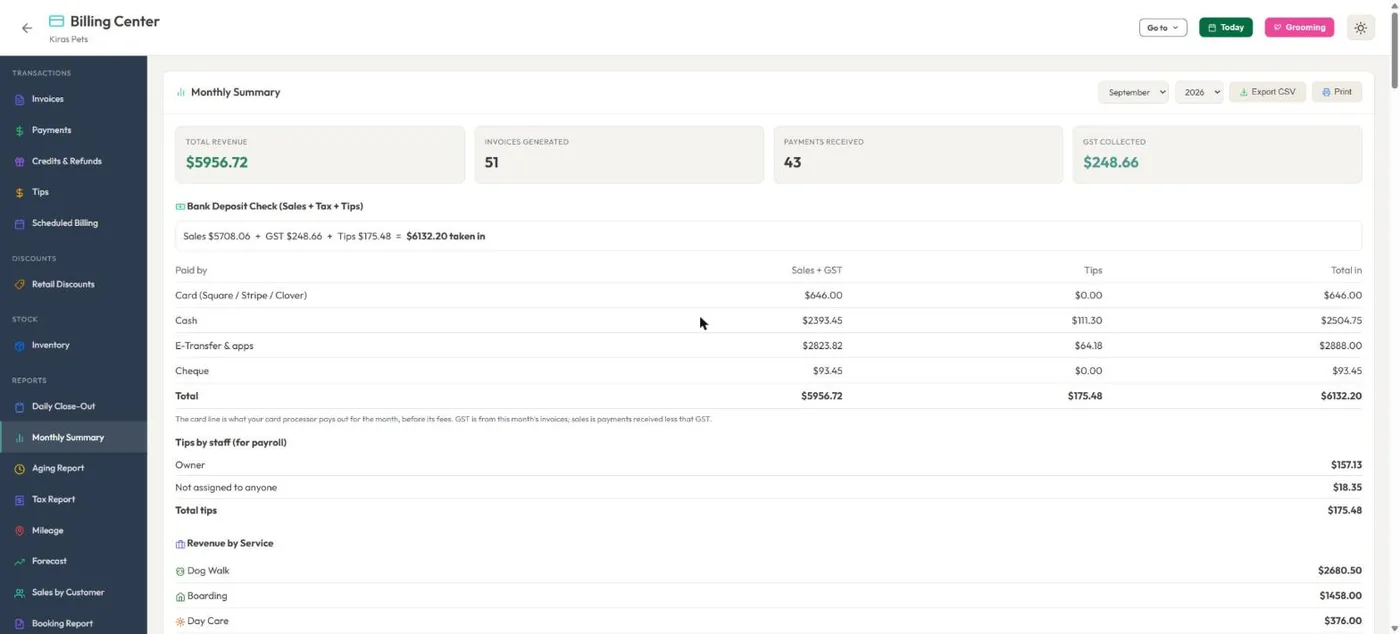
- 1Sales plus tax plus tips equals what came in.
- 2Card, cash, e-Transfer and cheque, each on its own line.
- 3Tips by staff member.
- 4Export or print any month.
Hover a number, or tap the screen to see it full size.
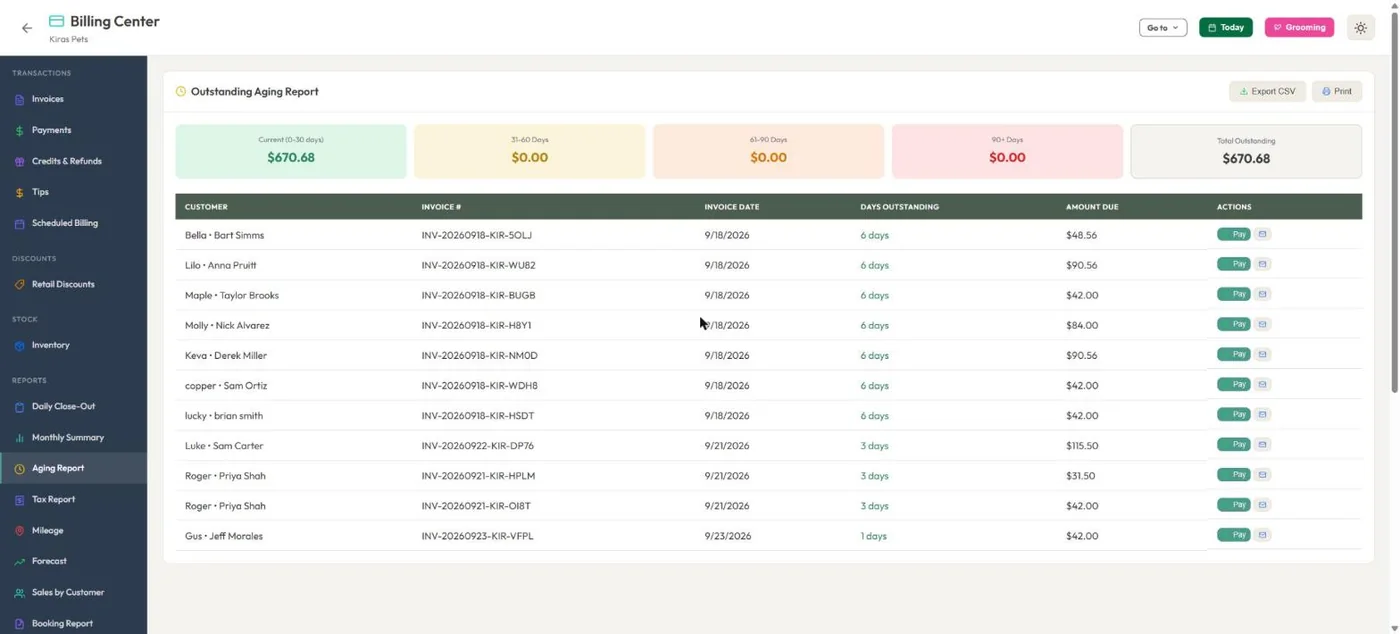
- 1What is owed, grouped by how long it has been owing.
- 2Take payment or resend the invoice from the row.
Hover a number, or tap the screen to see it full size.
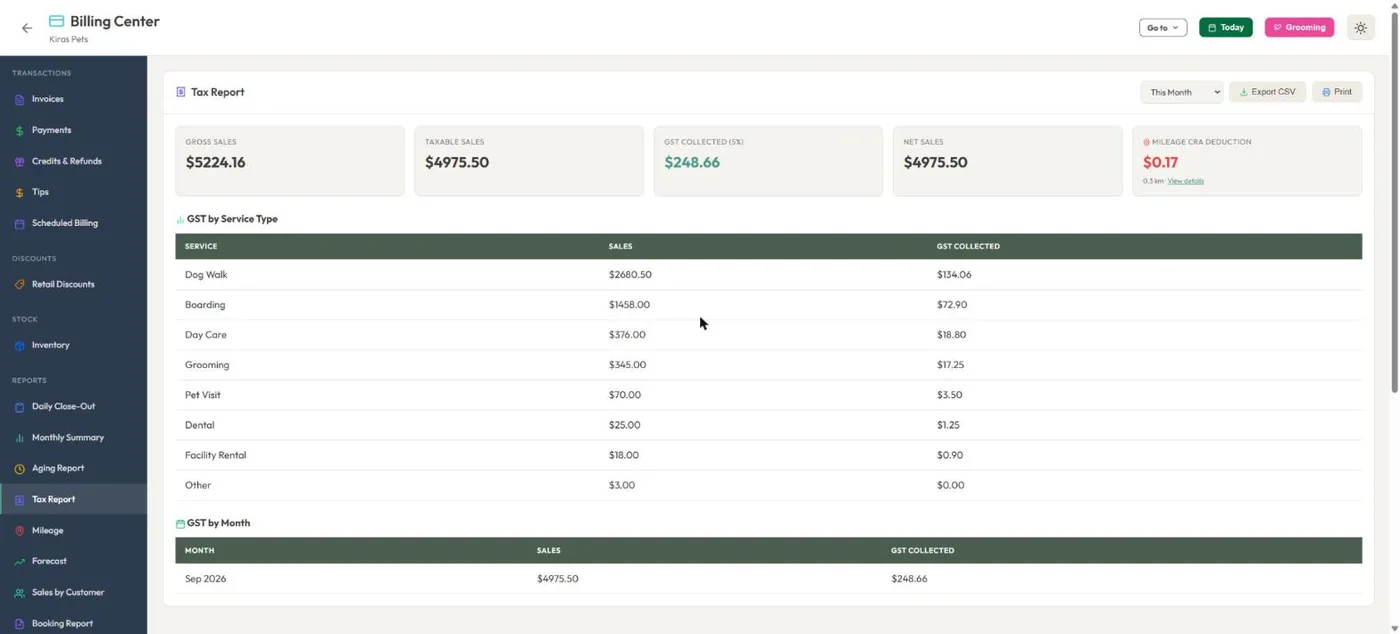
- 1Tax collected for the period.
- 2Mileage deduction at CRA, IRS, HMRC or ATO rates.
- 3Sales and tax for each service.
Hover a number, or tap the screen to see it full size.
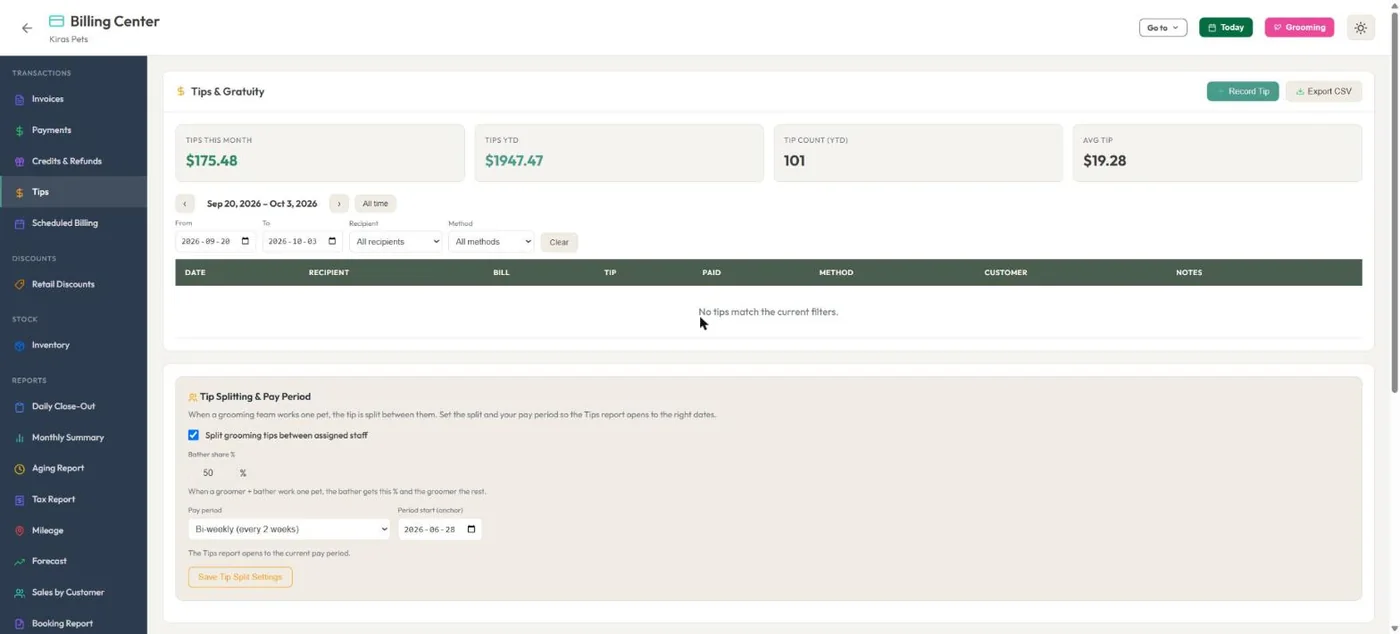
- 1Tips this month, this year and the average.
- 2Split grooming tips between groomer and bather.
- 3Your pay period, so the report opens on the right dates.
Hover a number, or tap the screen to see it full size.
What it does
Daily close-out, monthly summary with a bank deposit check, aging, tax by service, tips by staff, mileage, forecast, sales by customer and booking reports. Export to CSV or print.
Daily close-out
Payments by method, payment details, new bookings, check-ins and check-outs, and what is still outstanding.
Monthly summary
Revenue, invoices, payments and tax, with a check that sales, tax and tips add up to what went into the bank.
Aging
Outstanding invoices by 0 to 30, 31 to 60, 61 to 90 and over 90 days.
Tax report
Gross sales, taxable sales and tax collected, by service and by month.
Mileage
Business kilometres or miles with the deduction worked out at your country's rate.
Forecast and sales
Expected revenue from upcoming bookings, sales by customer and a booking report.
How it works
Open Billing
Reports sit in the Billing sidebar.
Pick the period
Today, a month, or your own dates.
Check it
Totals line up with your card payouts and bank.
Export
CSV or print for your accountant.
Good to know
- Reports cover money recorded in BooknBuddy. Card sales taken on a terminal outside the app are not included unless you record them.
Questions
Which reports are included?
Daily close-out, monthly summary, aging, tax, mileage, forecast, sales by customer, booking report, email history, tips, and payroll and hours.
Can I export to Excel?
Yes. Reports export to CSV, which opens in Excel or Google Sheets.
Does it show tax by service?
Yes. The tax report splits sales and tax by service and by month.
Can I see tips per employee?
Yes. The monthly summary and the tips report show tips by staff member.
Related features
Try it with your own bookings
Every feature is included. Start a free trial, no card needed.