Give every employee exactly the access they need
Pick a role and the permissions fill in. Then switch individual ones on or off: a groomer who never sees revenue, a manager who cannot change payment settings, a walker who only sees their own clients.
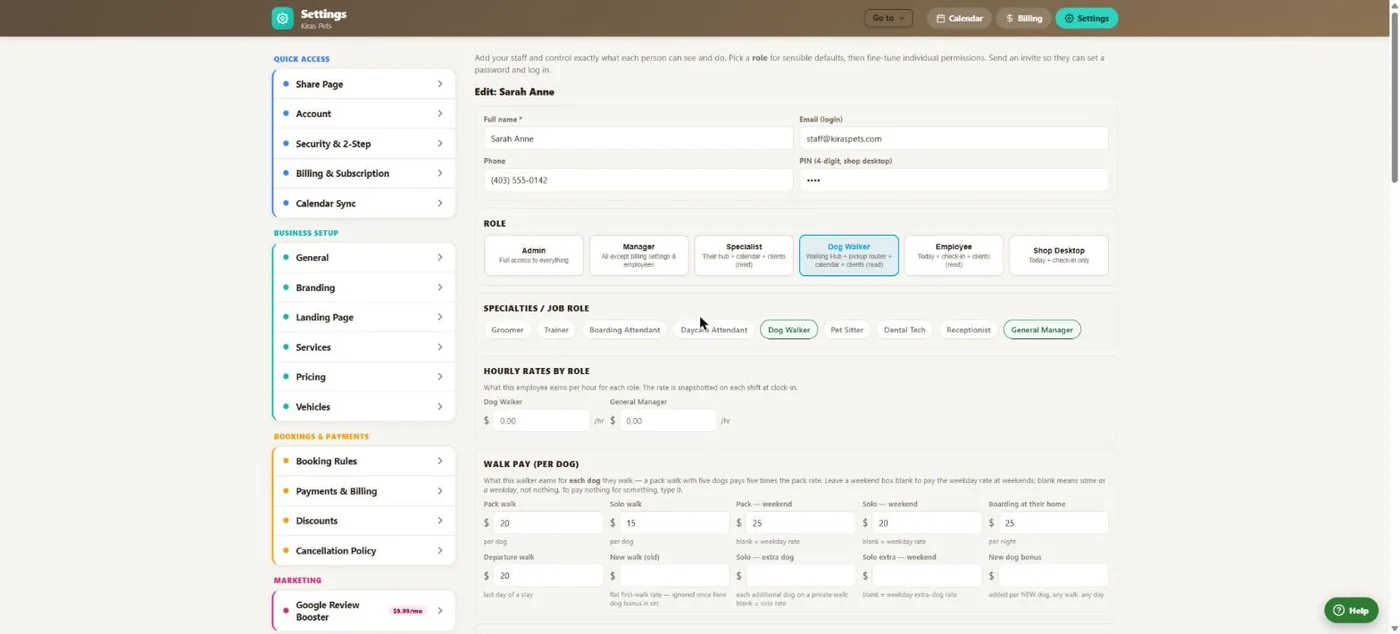
- 1A 4-digit PIN for the shared front-desk computer.
- 2Admin, Manager, Specialist, Dog Walker, Employee or Shop Desktop.
- 3Specialties such as groomer, bather, trainer or receptionist.
- 4An hourly rate for each role they work.
- 5Per-dog pay for walkers, with weekend and extra-dog rates.
Hover a number, or tap the screen to see it full size.
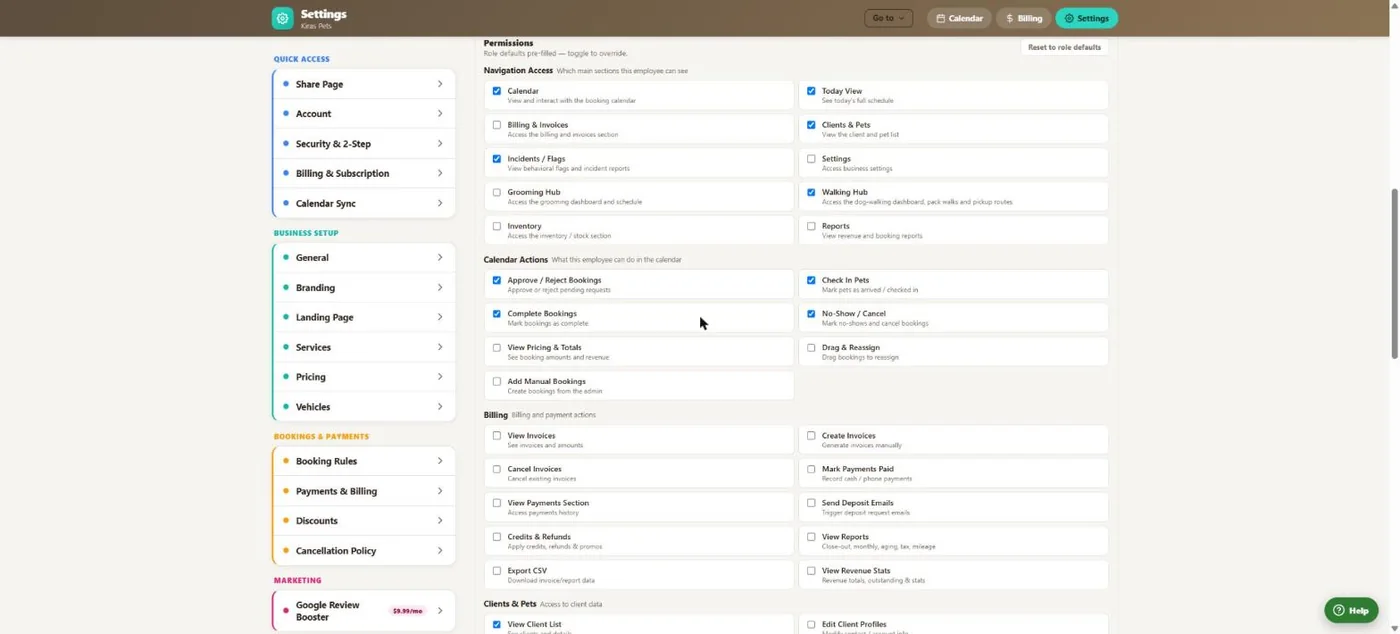
- 1Which sections they can open.
- 2What they can do in the calendar.
- 3Billing permissions, off by default for most roles.
- 4Back to the role's defaults in one tap.
Hover a number, or tap the screen to see it full size.
What it does
Six roles and about sixty individual permissions, specialties, pay rates per role and per-dog walker pay, PIN sign-in on a shared computer, and invite emails.
Roles and permissions
Six roles with sensible defaults and about sixty permissions you can change per person.
Hide the money
Billing, pricing and revenue are off by default for employees, specialists and walkers.
Switch user by PIN
On a shared computer, staff switch to themselves with a PIN. It exits after 30 minutes idle.
Who waived it
Waiving a deposit asks for a PIN and records the name.
Invite by email
Staff get a branded email and set their own password.
Staff apps
A groomer hub, a walker hub with GPS walks and their pay, and a personal schedule.
How it works
Add the person
Name, email, phone and PIN.
Pick a role
Permissions fill in.
Fine-tune
Switch individual permissions and set pay.
Invite
They set a password and sign in.
Good to know
- Switch User by PIN changes what the screen shows. It is not a separate sign-in.
Questions
Can I stop a groomer seeing prices?
Yes. Use the Specialist role or switch off pricing and revenue for that person.
How do staff sign in?
Add their email, send the invite, and they set their own password.
Can staff share one front-desk computer?
Yes. They switch to themselves with their PIN.
Can I see who waived a deposit?
Yes, when staff have PINs. The waiver records their name.
Related features
Try it with your own bookings
Every feature is included. Start a free trial, no card needed.