Chat with clients inside the app
Clients message you from their app, you reply from the desk or your phone, and everyone gets a push notification. Conversations can be assigned to a groomer or walker.
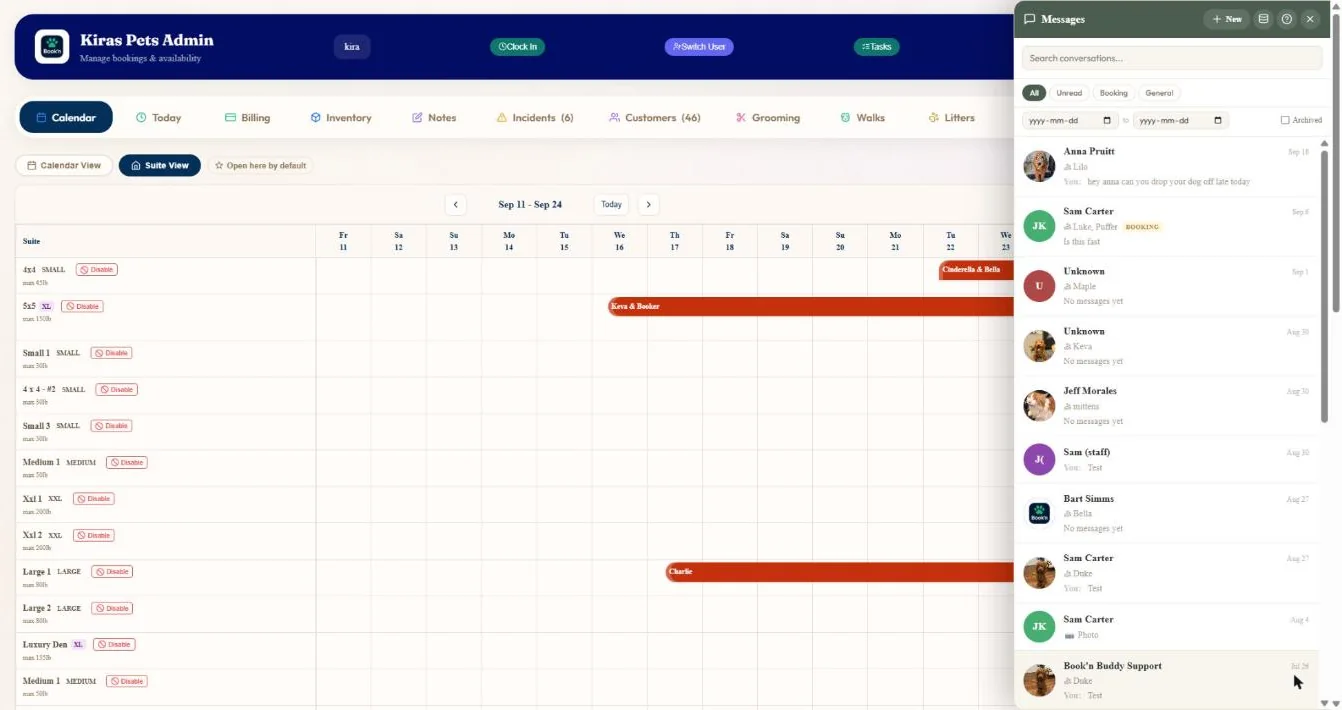
- 1All, unread, booking and general conversations.
- 2Each conversation shows the client and their pets.
- 3Messages about a booking are tagged.
- 4Start a new conversation.
Hover a number, or tap the screen to see it full size.
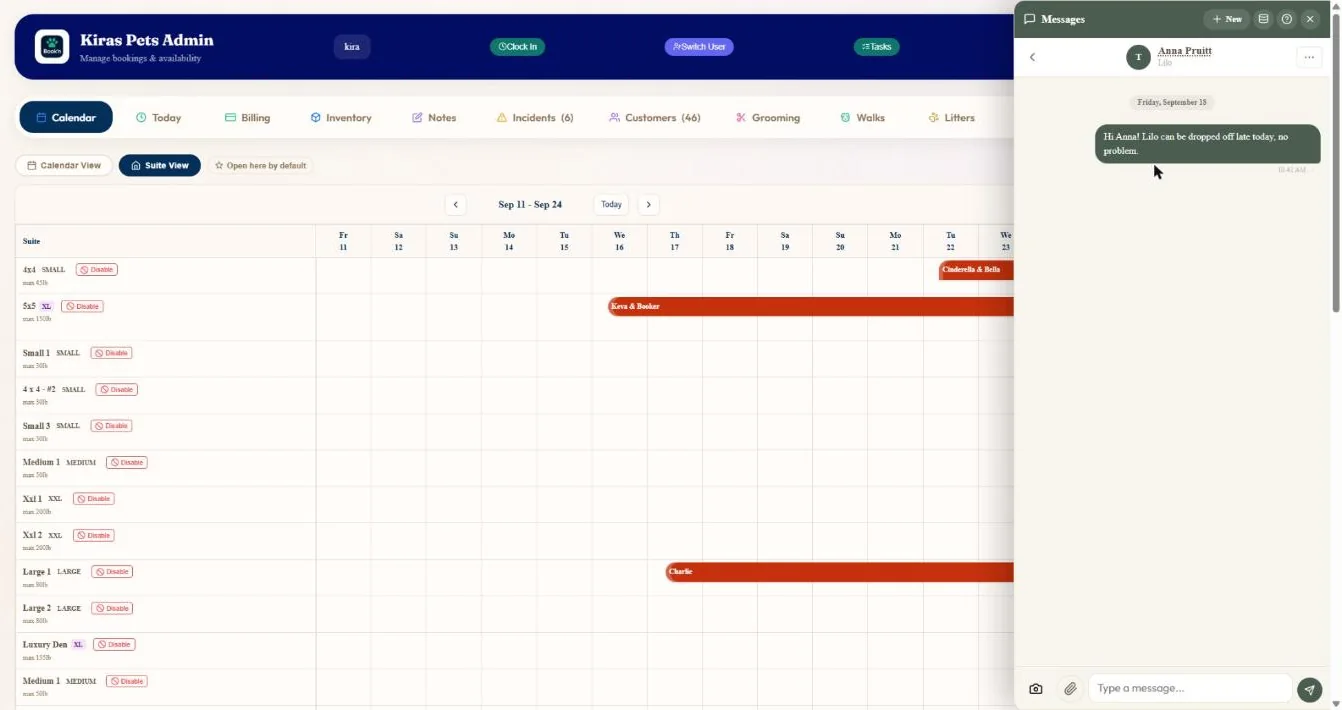
- 1The conversation, dated.
- 2Send a photo.
- 3Reply.
Hover a number, or tap the screen to see it full size.
What it does
Message clients from the admin and the phone app, send photos, assign a conversation to a staff member, and get a push for every reply. Free and unlimited.
Conversations
Booking, general and inquiry conversations with unread counts.
Photos and video
Send photos and video from the admin. Clients can send photos too.
Assign
Hand a conversation to the right staff member.
Push for every reply
Walk conversations go to the walker and the owner.
Archive
Archived conversations reopen when the client writes again.
Optional texting
With the text add-on, your replies go out as texts and texts come back into the conversation.
How it works
Client writes
From their app or account.
You get a push
On the desk and your phone.
Reply
Text or photos.
Hand it on
Assign it to the right person.
What your clients see
Clients message from their app and get a push notification when you reply.
Good to know
- There are no saved or canned replies yet.
Questions
Is messaging included?
Yes. In-app messaging is free and unlimited on every plan.
Do clients get notified?
Yes, by push notification, or by text if you add texting.
Can staff send photos?
Yes.
Can I give a conversation to a groomer?
Yes. Assign it to any staff member.
Related features
Try it with your own bookings
Every feature is included. Start a free trial, no card needed.