Invoices that write themselves
When a stay is checked out, the invoice already exists. It goes out with a PDF and a Pay Now button, earlier deposits are already taken off, and every change after that is logged with a reason.
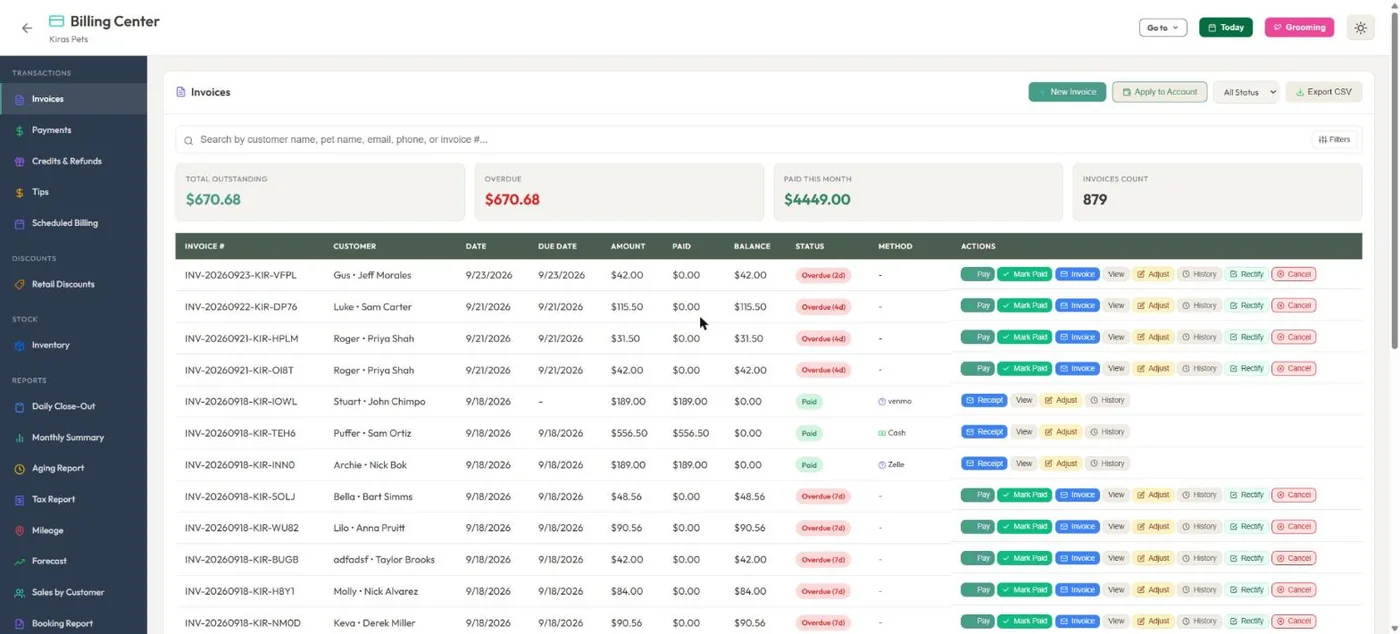
- 1Outstanding, overdue and this month's takings at the top of the list.
- 2Every invoice shows its state: paid, partly paid, overdue, void or refunded.
- 3Cash, e-Transfer, Zelle and Venmo are recorded next to card payments.
- 4Pay, mark paid, resend, adjust, see history or fix it, right from the row.
Hover a number, or tap the screen to see it full size.
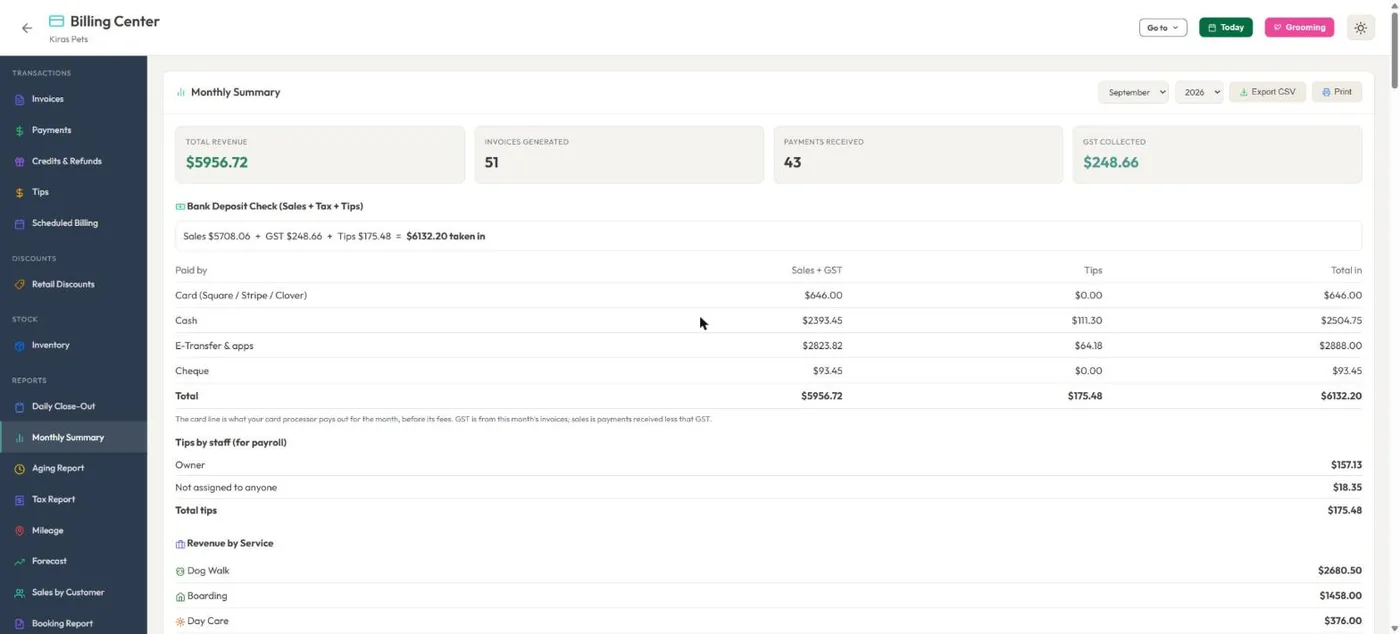
- 1A bank deposit check: sales plus tax plus tips equals what came in.
- 2Split by how people paid, so the card line matches your processor payout.
- 3Tips by staff member, ready for payroll.
- 4Revenue by service.
Hover a number, or tap the screen to see it full size.
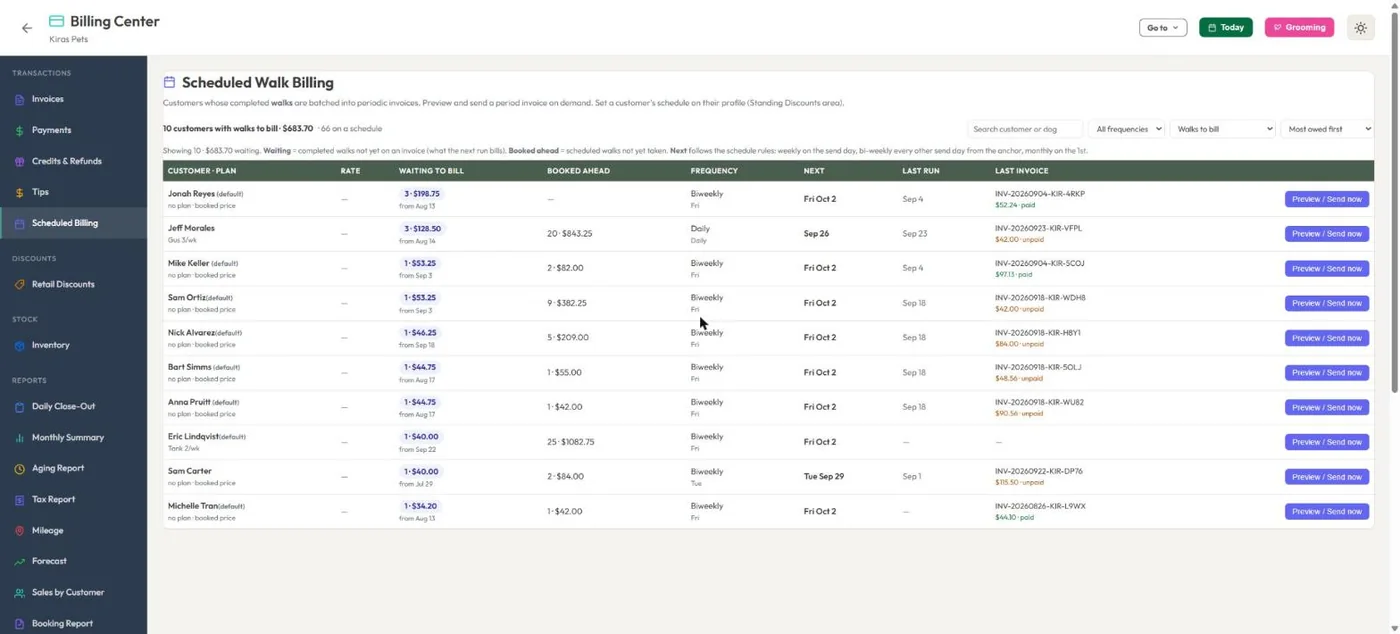
- 1Walk and visit clients can be billed daily, weekly, every two weeks or monthly.
- 2What is waiting to be billed, and what is already booked ahead.
- 3Each client has their own schedule, or uses your default.
- 4Preview the period invoice and send it now, or let it go out on schedule.
Hover a number, or tap the screen to see it full size.
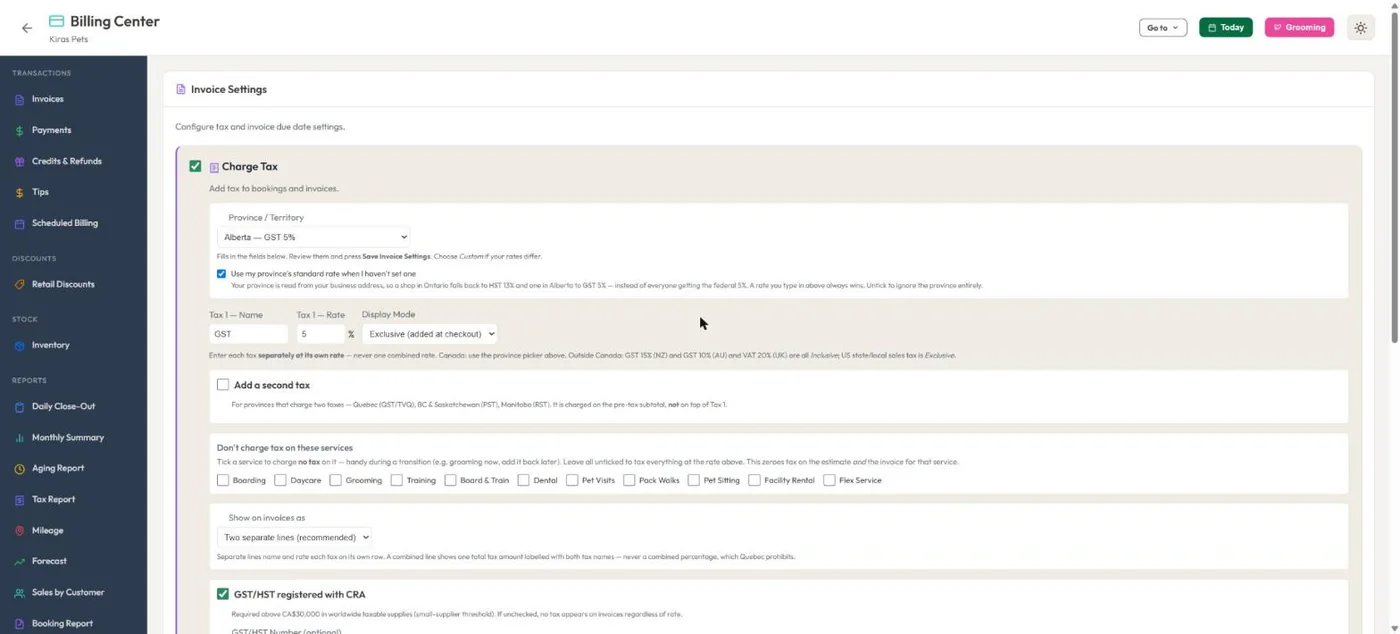
- 1Pick your province and the rates fill in. US sales tax, NZ/AU GST and UK VAT work too.
- 2Name, rate and whether prices include tax or add it at checkout.
- 3A second tax (PST, QST, RST) on the subtotal, never tax on tax.
- 4Leave some services untaxed.
Hover a number, or tap the screen to see it full size.
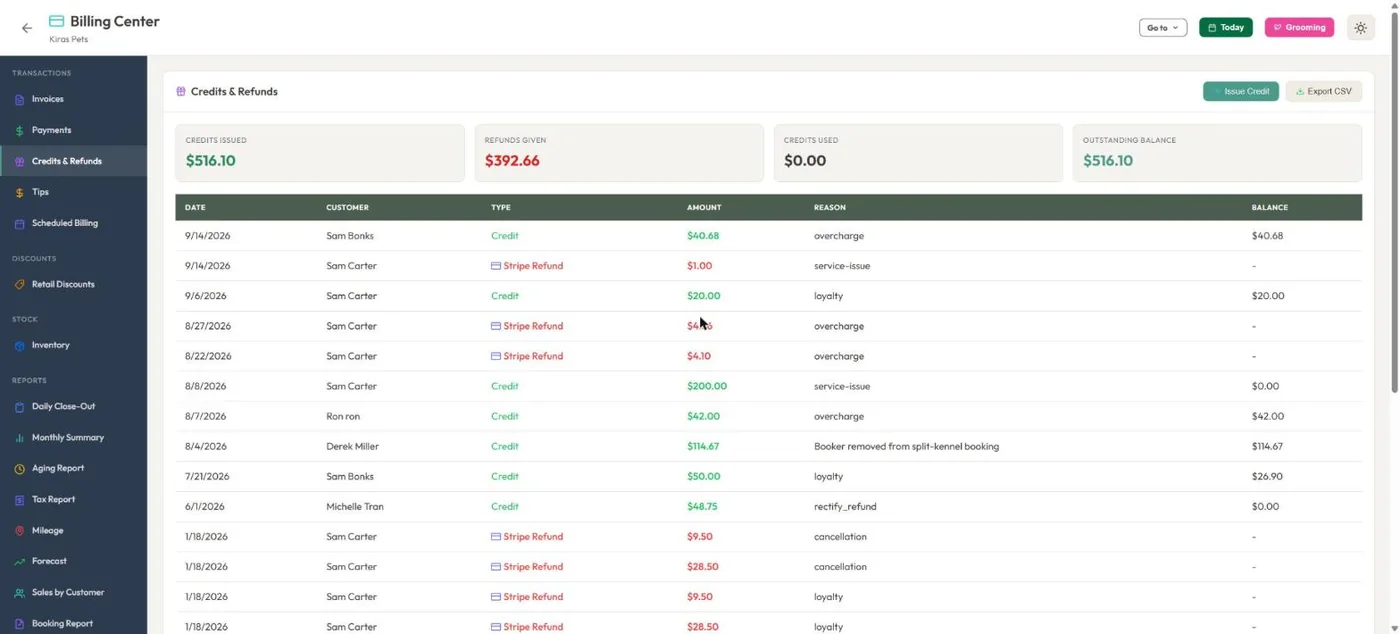
- 1Credits issued, refunds given and what customers still hold.
- 2Card refunds go back through Stripe, Square or Clover.
- 3Every credit and refund carries its reason.
Hover a number, or tap the screen to see it full size.
What it does
Invoices are created when a booking is completed, emailed with a PDF and a Pay Now link, and tracked to the cent. Taxes, discounts, family bills, scheduled billing and a full audit trail.
Created for you
An invoice is made when a booking is completed or checked out. Deposits already paid are linked and account credit is taken off before it is sent.
Sent with a Pay Now button
The email carries a PDF and a link to pay online by Stripe, Square or Clover. Customers can also pay everything they owe from their account.
Adjust with a paper trail
Change lines, totals or payment method. A reason is required and the before and after are logged with who did it.
One bill per family
Dogs from one household in separate kennels are combined onto one invoice. A pet's co-parent can pay it too.
Billing on a schedule
Walks and pet visits can be batched daily, weekly, every two weeks or monthly, per client.
Discounts that stack correctly
Multi-pet, separate-kennel family, long-stay tiers, promo codes and a standing discount for a single customer.
Refunds and write-offs
Refund to the card, to account credit, write off a balance or void the invoice. Refunds already given are taken off what can be refunded again.
Tips
Terminal tip prompts on Square and Clover, a tip log with CSV export, and grooming tips split between groomer and bather.
Card on file and auto-pay
Customers can save a card on Square or Stripe. With their signed authorization, new invoices are charged to it. Deposits are never auto-charged.
How it works
Booking completes
Check the dog out. The invoice is built from the booking with the same prices the customer saw.
It goes out
The customer gets the invoice email with a PDF and a Pay Now button.
They pay
Online, on a terminal, or you record cash, cheque or e-Transfer.
It reconciles
The booking, invoice and reports all update. If you use Xero or QuickBooks, the paid invoice is sent there.
What your clients see
Customers get the invoice by email with a PDF and a Pay Now button, see every invoice in their account, and can pay what they owe in one go.
Good to know
- Overdue reminders are sent by you with one tap from the Aging report or the invoice list. They are not sent automatically.
- Tips are taken on a terminal or recorded by staff. There is no tip option when a customer pays online.
- Saved cards work with Square and Stripe, not Clover.
- Periodic billing (weekly, monthly) is for walks and pet visits. Other services are invoiced per booking.
Questions
Do I have to create invoices by hand?
No. They are created when a booking is completed or checked out. You can still write a one-off invoice whenever you need one.
Can I bill my walk clients weekly or monthly?
Yes. Daily, weekly, every two weeks or monthly, with a default for the business and a different schedule for any client.
Does it handle GST plus PST, or QST?
Yes. Add a second tax, choose which services it applies to, and it is charged on the subtotal, never on top of the first tax.
What if an invoice is wrong?
Use Adjust. You can change the lines, the total or the payment method, and every change is saved with who made it and why.
Can customers pay with a saved card automatically?
Yes, on Square or Stripe, once the customer signs the auto-pay authorization in their account.
Related features
Try it with your own bookings
Every feature is included. Start a free trial, no card needed.