Everything about a client on one page
Open a client and see their pets, what they owe, their bookings, forms and waivers, and every setting that applies only to them. Staff find allergies and feeding instructions in seconds.
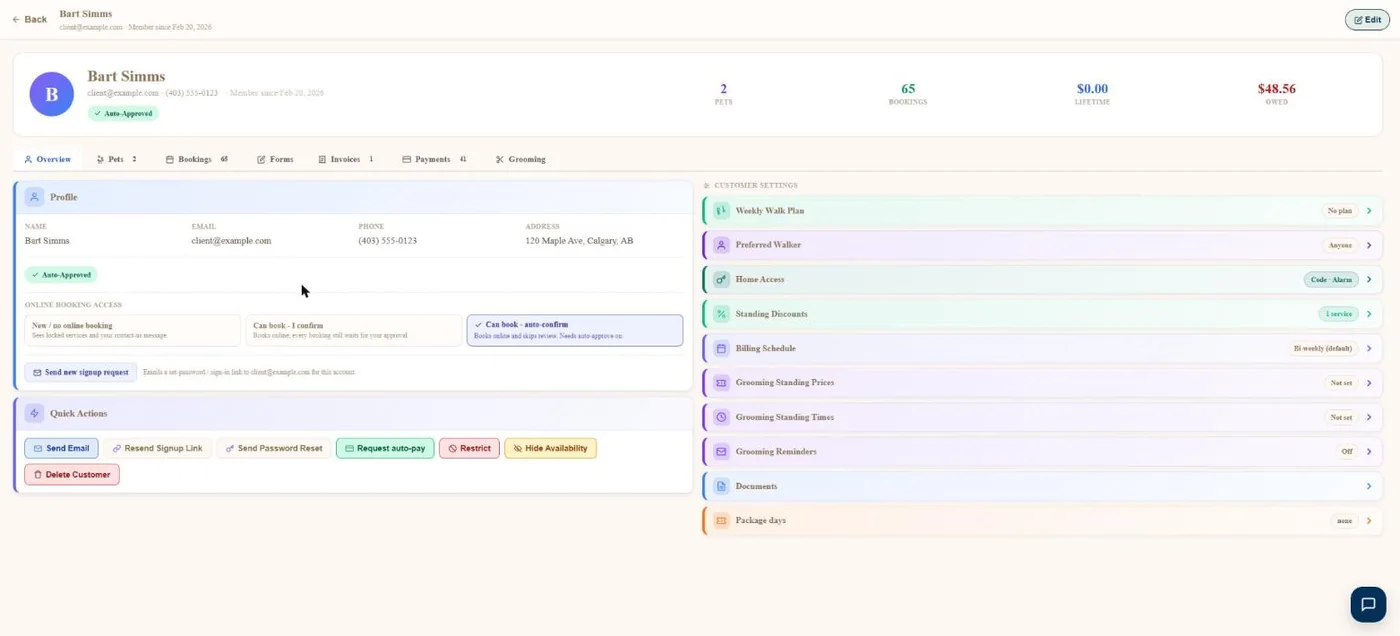
- 1Pets, bookings, lifetime spend and what they owe.
- 2Overview, pets, bookings, forms, invoices, payments.
- 3Choose whether they book online, need approval, or are confirmed instantly.
- 4Email, resend sign-up, request auto-pay, restrict and more.
- 5Walk plans, preferred walker, home access, standing discounts, billing schedule.
Hover a number, or tap the screen to see it full size.
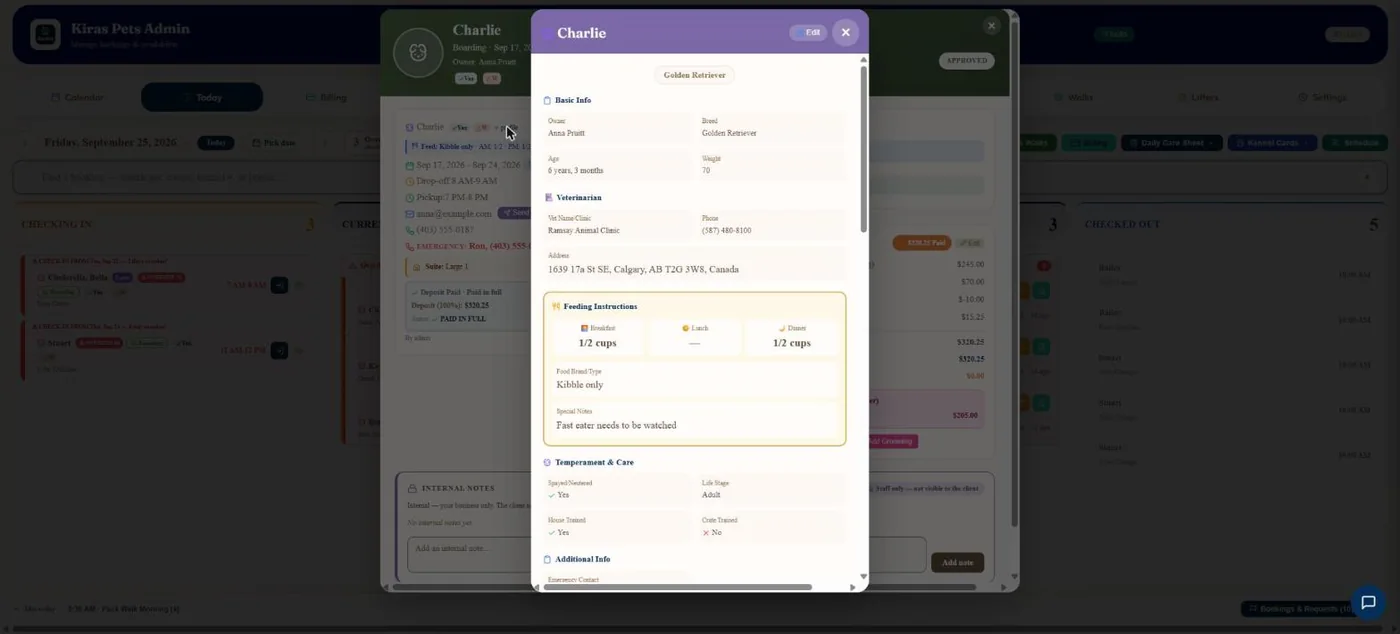
- 1Vet name, phone and address.
- 2Feeding: amounts per meal, food and special notes.
- 3Spay or neuter, life stage, house and crate trained.
Hover a number, or tap the screen to see it full size.
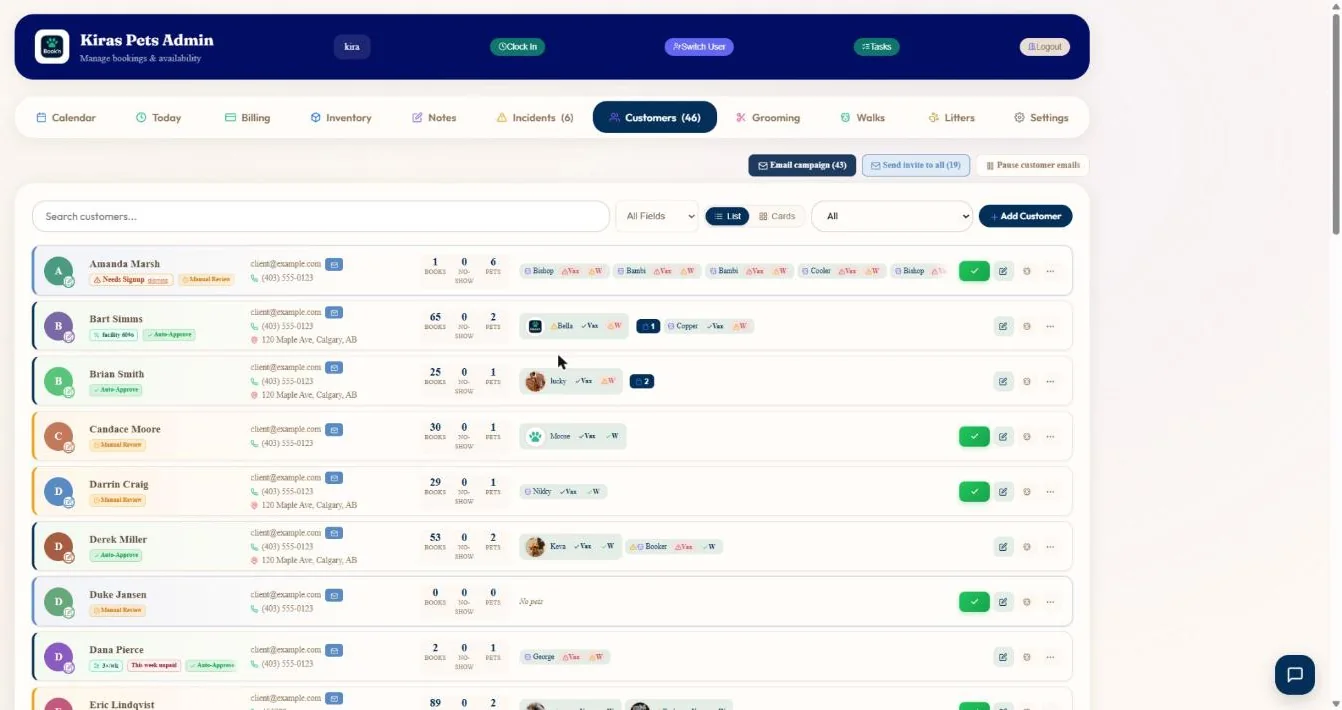
- 1Bookings, no-shows and pets for every client.
- 2Each pet with its vaccine and waiver status.
- 3Email a filtered list of clients.
- 4Add a client.
Hover a number, or tap the screen to see it full size.
What it does
A full profile for every client and pet: care instructions, vet and emergency contacts, vaccines, waivers, forms, bookings, invoices, balance and notes.
Complete pet records
Breed, age, weight, sex, colour, microchip, vet, emergency contact, allergies, medications, feeding, flea treatment and grooming notes.
Private and shared notes
Admin notes are for staff only. Customer notes are visible to the client.
Money at a glance
Balance, account credit, lifetime spend, invoices and payments.
Paperwork
Waiver status and the signed copy, form submissions, and uploaded documents.
Settings for one client
Standing discounts, packages, billing schedule, first-time deposit, walk plans and home access.
Quick actions
Email them, resend their sign-up link, request auto-pay, restrict them or skip their Meet & Greet.
How it works
Clients sign up
They fill in their own and their pet's details.
You check
Vaccines, waivers and forms show their status.
Staff look it up
From any booking or the client list.
It stays current
Clients update their own details.
What your clients see
Clients keep their own details and pets up to date in their account. They see customer notes, never admin notes.
Questions
Can staff see allergies and medications quickly?
Yes, on the pet card and on every booking.
Are my notes private?
Admin notes are private. Customer notes are visible to the client.
Can I see what a client owes?
Yes. Balance, credit and lifetime spend are at the top of their profile.
Can I stop a client booking online?
Yes. Set them to need approval, or restrict them.
Related features
Try it with your own bookings
Every feature is included. Start a free trial, no card needed.