Build the intake form you actually want
Ask the questions that matter to you, attach the form to the right services, and hold a booking until it is filled in. Clients can save and finish later, and their answers fill in blanks on the pet's profile.
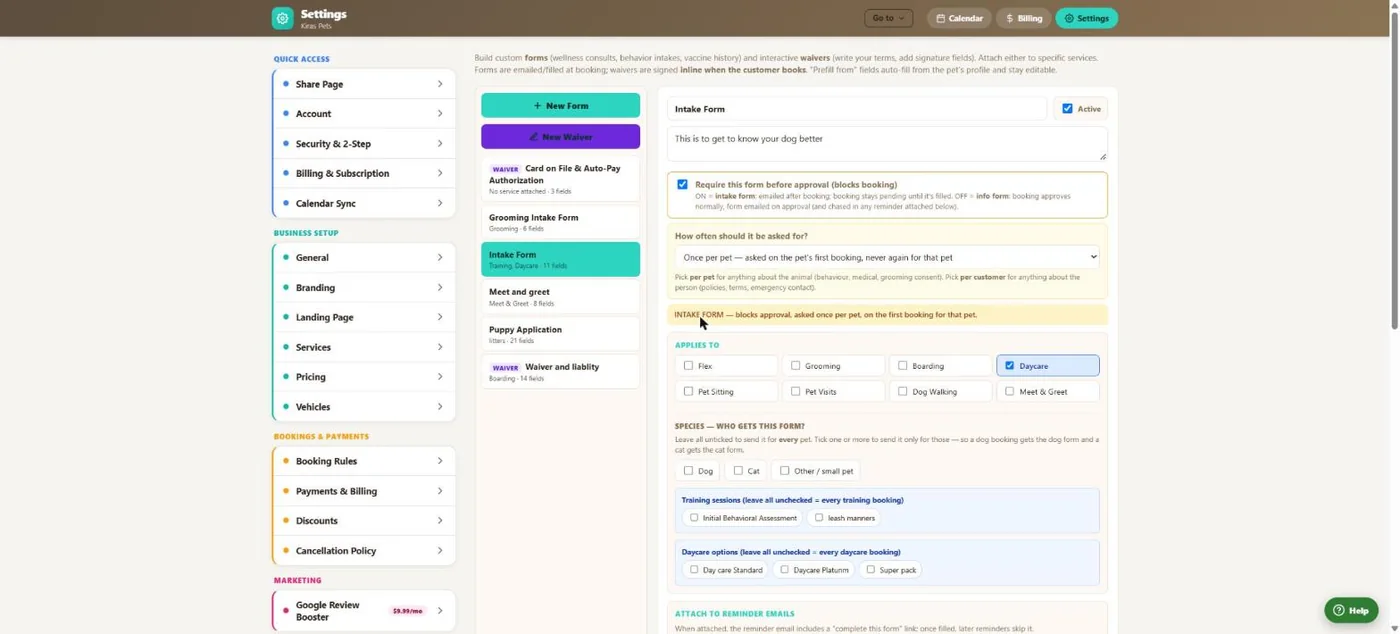
- 1Create a form or an interactive waiver.
- 2Require it before approval, or send it for information only.
- 3Ask once per pet or once per customer.
- 4Choose the services it applies to.
- 5Or only certain training sessions or daycare options.
Hover a number, or tap the screen to see it full size.
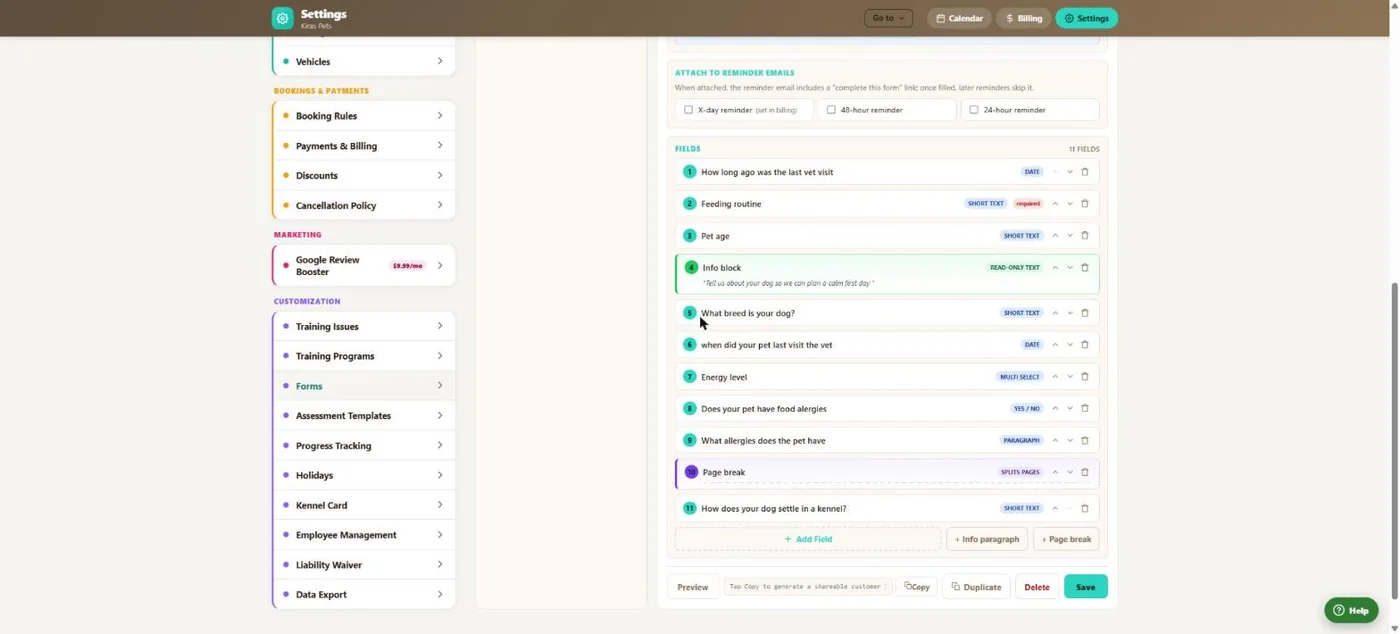
- 1Your questions in order.
- 2Short text, paragraph, yes/no, choices, number, date and signature.
- 3Information blocks and page breaks.
- 4Preview it as a client will see it.
Hover a number, or tap the screen to see it full size.
What it does
Build intake, behaviour and consent forms with signature fields and page breaks. Attach them to services, require them before approval, and let answers fill in the pet's profile.
Field types
Short text, paragraph, yes/no, single and multiple choice, number, date, signature, information blocks and page breaks.
Hold until done
An intake form keeps the booking pending until it is filled in.
Sent with reminders
Attach a form to your reminder emails so it gets filled in before the visit.
Drafts saved
Clients can save a form and come back to it.
Fills the profile
Answers fill in blank fields on the pet's profile without overwriting anything.
Assessments
Assessment templates for training, with results saved to the pet and emailed.
How it works
Build it
Add your questions.
Attach it
To services, species and reminders.
Clients fill it in
From a link or their account.
Answers are kept
On the pet and the booking.
What your clients see
Clients get a link or see the form in their account, can save and finish later, and sign right in the form.
Good to know
- There is no file-upload field or conditional logic yet.
Questions
Can I require a behaviour form before the first stay?
Yes. Make it an intake form and bookings wait until it is done.
Can clients finish later?
Yes. Drafts are saved.
Do answers update the pet profile?
They fill in blank fields. Existing information is not overwritten.
Can I ask once per pet?
Yes, or once per customer.
Related features
Try it with your own bookings
Every feature is included. Start a free trial, no card needed.