The whole day on one screen
Arrivals on the left, guests in the middle, departures on the right. Anything overdue floats to the top, and the buttons you need all day are one tap away.
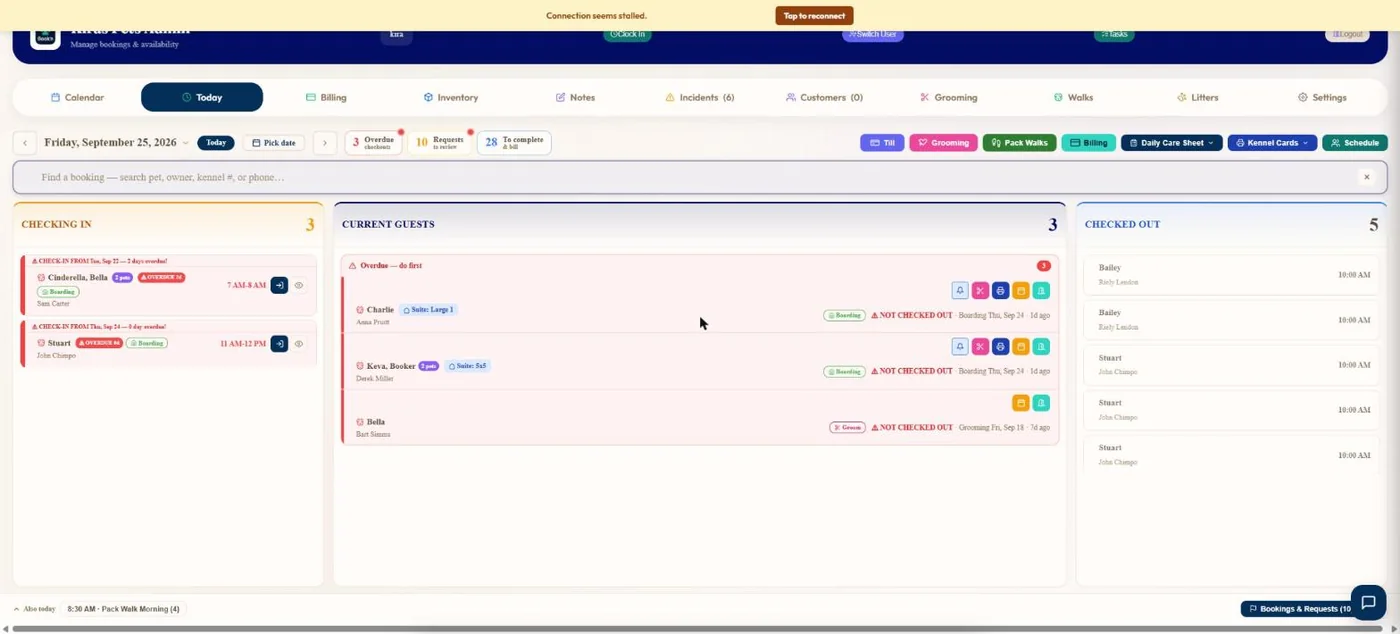
- 1Overdue check-outs, requests to review and bookings to complete and bill.
- 2Arrivals, with drop-off windows and vaccine flags.
- 3Current guests, with anything overdue listed first.
- 4Who has already gone home today.
- 5Till, grooming, walks, billing, daily care sheet, kennel cards and schedule.
Hover a number, or tap the screen to see it full size.
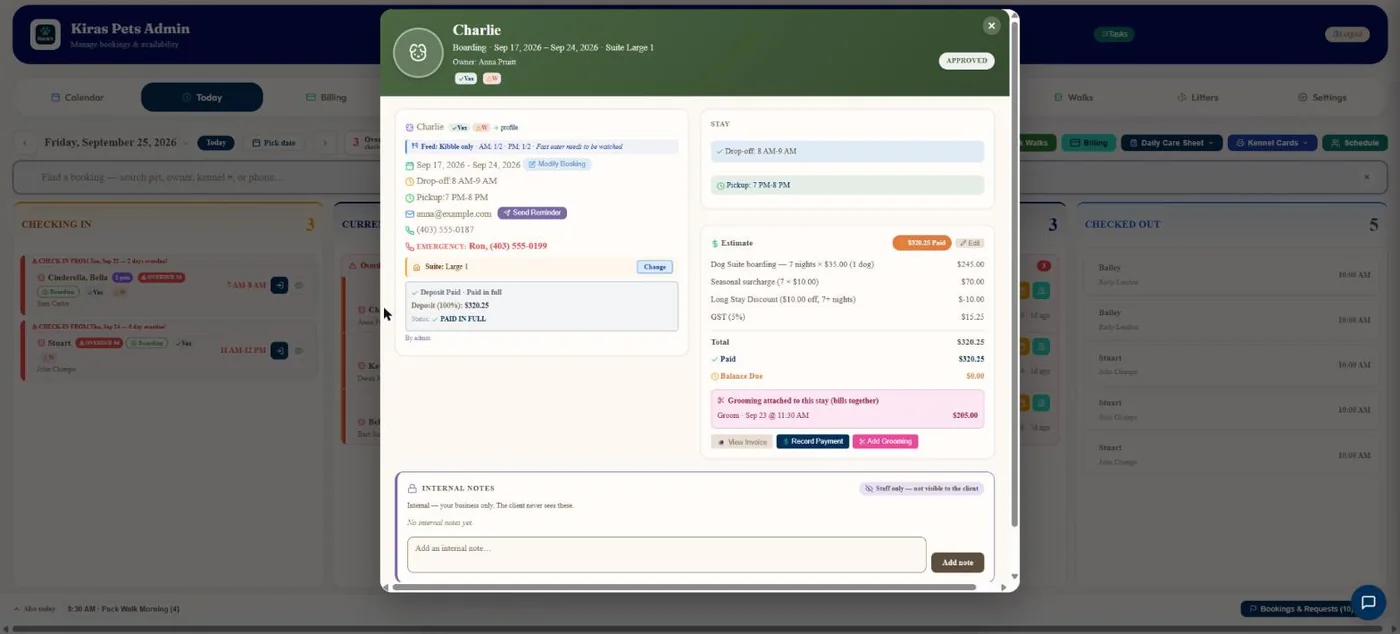
- 1Feeding instructions from the pet's profile.
- 2Emergency contact, one tap to call.
- 3The price estimate with every discount and surcharge.
- 4A groom during the stay bills together with it.
- 5Internal notes the client never sees.
Hover a number, or tap the screen to see it full size.
What it does
Who is arriving, who is here and who has gone home, with overdue check-outs first, requests to review, and one-tap kennel cards, care sheets and the till.
Check in and out
One tap to check a dog in or out. The invoice is made at check-out.
Overdue first
Late pick-ups and overdue arrivals are listed before everything else.
Requests to review
Bookings waiting for approval are counted at the top.
Print for the day
Kennel cards and the daily care sheet, for today or the whole week.
Find a booking
Search by pet, owner, kennel number or phone.
Who is working
The staff schedule and who is clocked in.
How it works
Open Today
It is the first screen after sign-in.
Work the lists
Check in, check out, approve.
Cards and care sheets when you need them.
Close the day
Everything carries into billing and reports.
Questions
Can staff use it on a phone?
Yes. The phone app has its own Today screen.
Can I see tomorrow?
Yes. Move between days or pick a date.
Related features
Try it with your own bookings
Every feature is included. Start a free trial, no card needed.