Kennels assigned by size, not by guesswork
Give each kennel a size and a weight limit. New bookings go into the smallest kennel that fits and is free, skipping anything still inside its cleaning window. You can move any dog by dragging it.
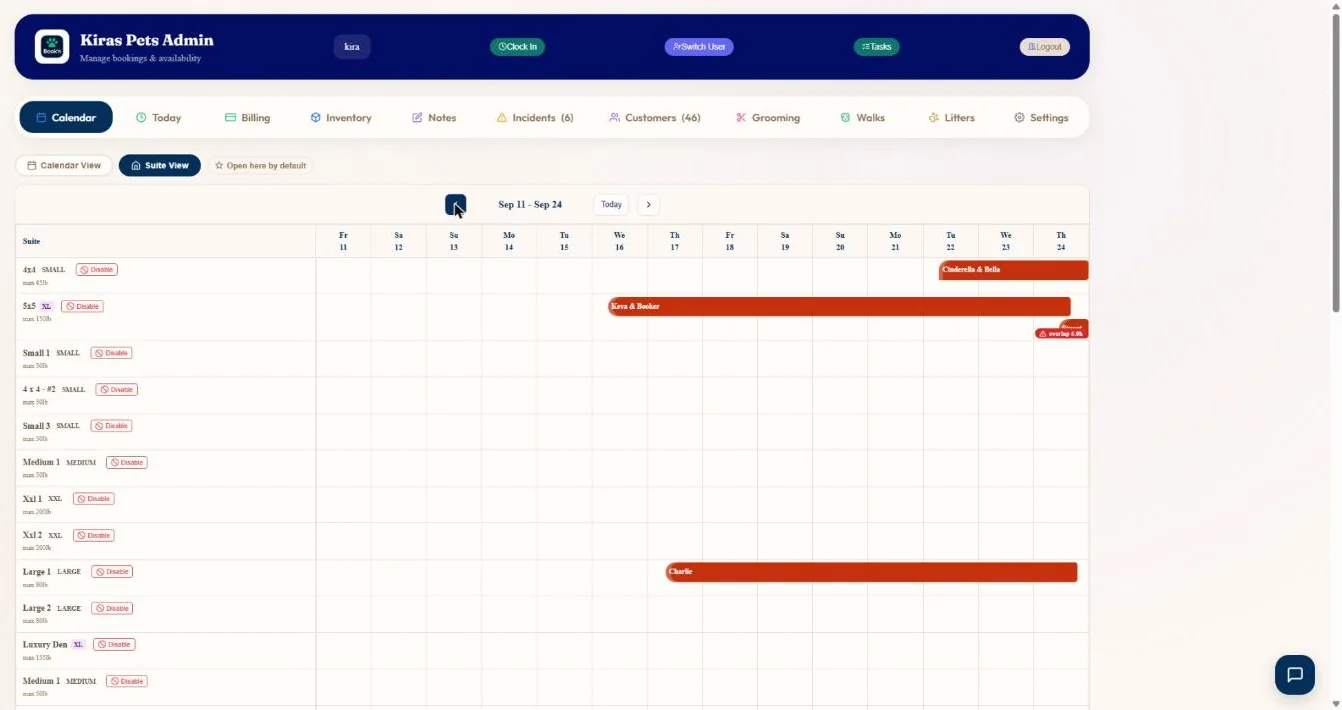
- 1Every kennel with its size and weight limit.
- 2Stays as bars across the days. Drag to move a dog.
- 3Overlaps are flagged.
- 4Move week by week.
Hover a number, or tap the screen to see it full size.
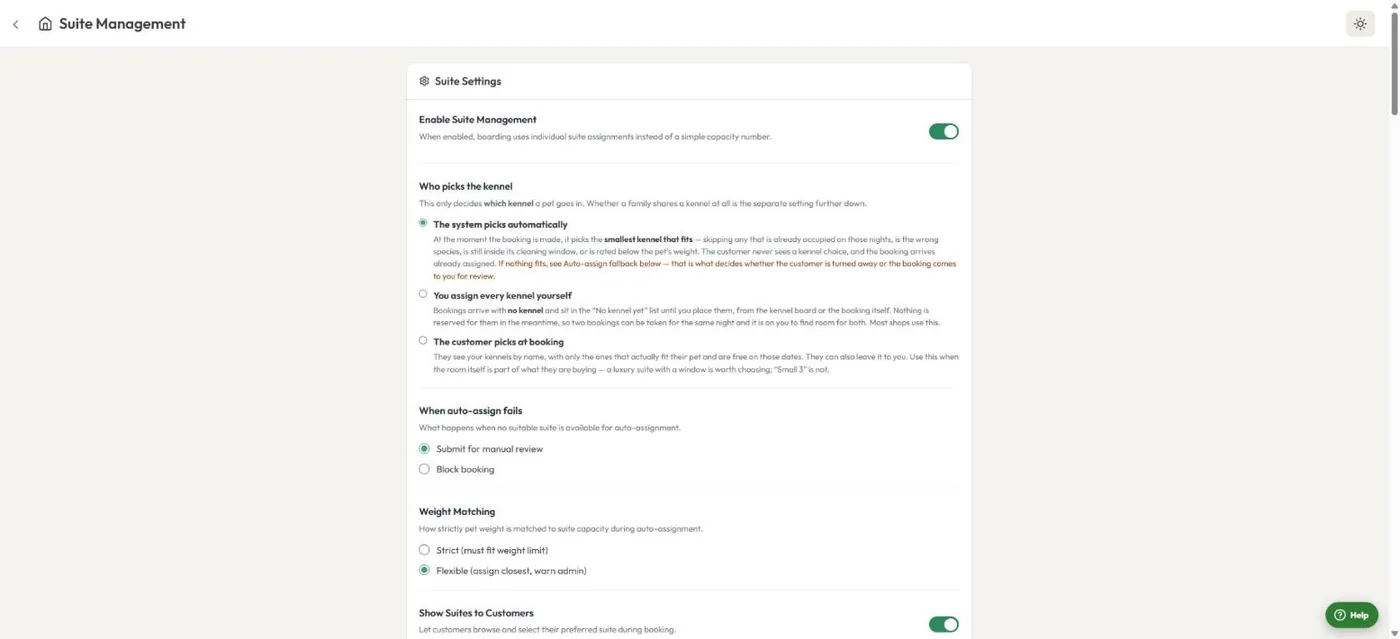
- 1The system picks the smallest kennel that fits.
- 2Or you assign every kennel yourself.
- 3Or the customer picks at booking, when the room is part of what they buy.
- 4What happens when nothing fits: send for review, or block.
- 5Strict or flexible weight matching.
Hover a number, or tap the screen to see it full size.
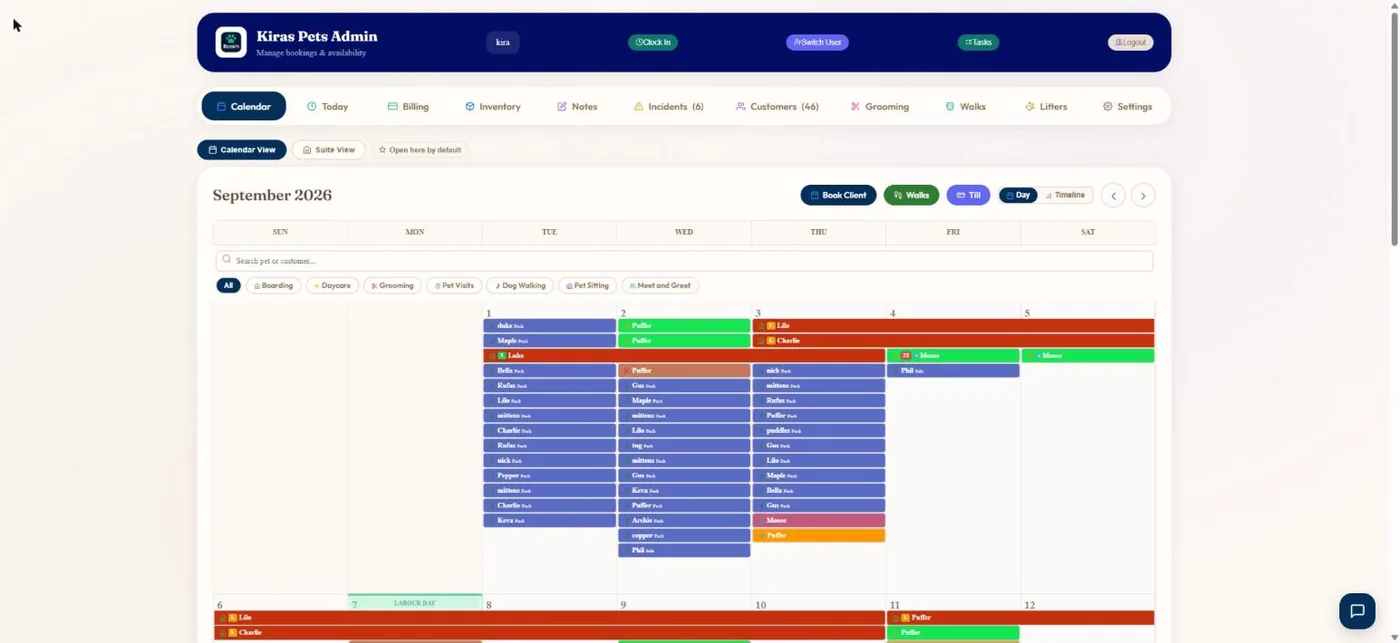
- 1Filter the calendar by service.
- 2Boarding stays, daycare, grooms and walks in one month view.
Hover a number, or tap the screen to see it full size.
What it does
Give every kennel a size and weight limit, let the system pick the smallest one that fits, keep cleaning time between stays, and move dogs on a kennel grid.
Size and weight limits
Each kennel has a size, a maximum weight and the species it takes.
Smallest kennel that fits
Occupied kennels, the wrong species, cleaning windows and underweight kennels are skipped.
Cleaning windows
Keep 0 to 48 hours free between one dog leaving and the next arriving.
Drag to move
Move a stay to another kennel on the grid and it updates everywhere.
Let customers choose
Show your suites at booking when the room is part of what they are paying for.
Family kennels
A family can share one kennel or be split across kennels, each dog priced correctly.
How it works
Add kennels
One at a time or in bulk, then drag them into order.
Choose the rule
System, you, or the customer picks.
Bookings arrive assigned
Or waiting in "No kennel yet".
Adjust
Drag on the grid when plans change.
What your clients see
If you let them, customers can pick a named suite when booking. Only suites that fit their pet and are free are shown.
Good to know
- Boarding and daycare stays are not assigned to individual staff members.
Questions
Does it stop overbooking?
Yes. Kennels that are occupied, the wrong size or still being cleaned are skipped.
Can I assign kennels myself?
Yes. Choose "You assign every kennel yourself" and bookings wait for you.
Can customers choose a suite?
Yes, if you switch it on.
What if nothing fits?
You choose: send the booking to you for review, or block it.
Related features
Try it with your own bookings
Every feature is included. Start a free trial, no card needed.