Put booking on your website
Choose the link that fits: a sign-up link that connects new clients to you, a booking page for "are you available?", or a live availability calendar on your own website.
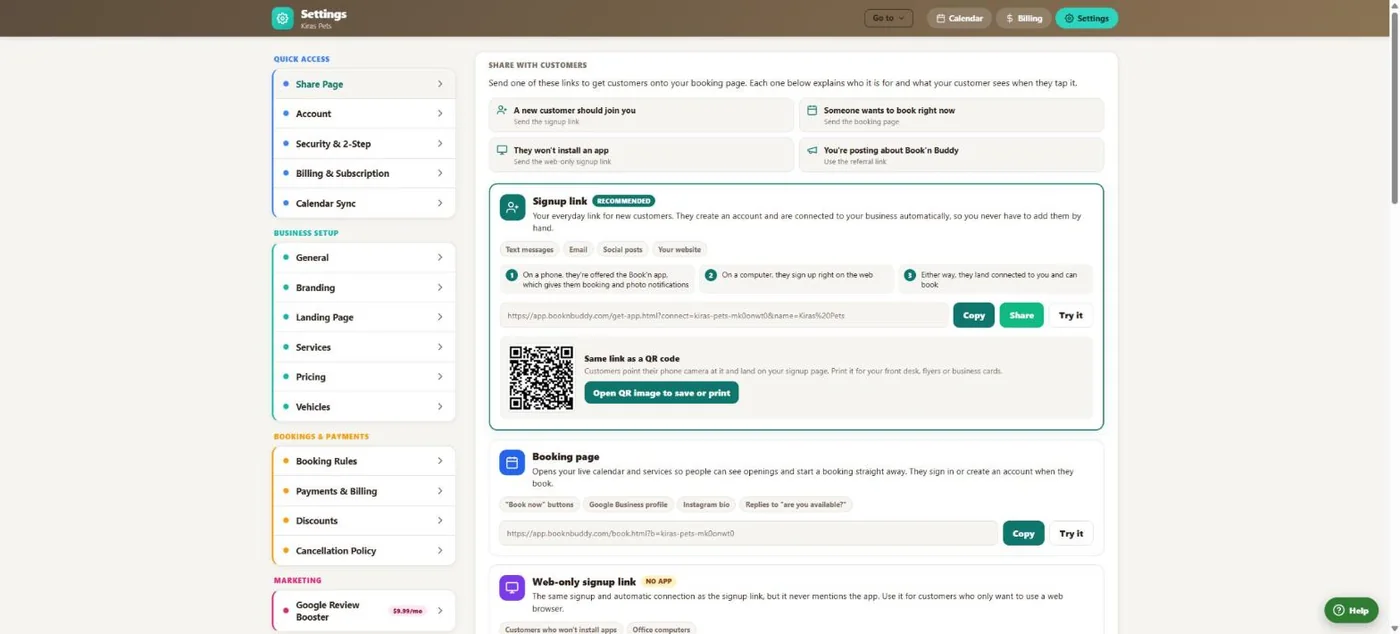
- 1A sign-up link that connects new clients to you automatically.
- 2Copy or share it.
- 3The same link as a QR code for the desk or flyers.
- 4A link to your live booking page.
Hover a number, or tap the screen to see it full size.
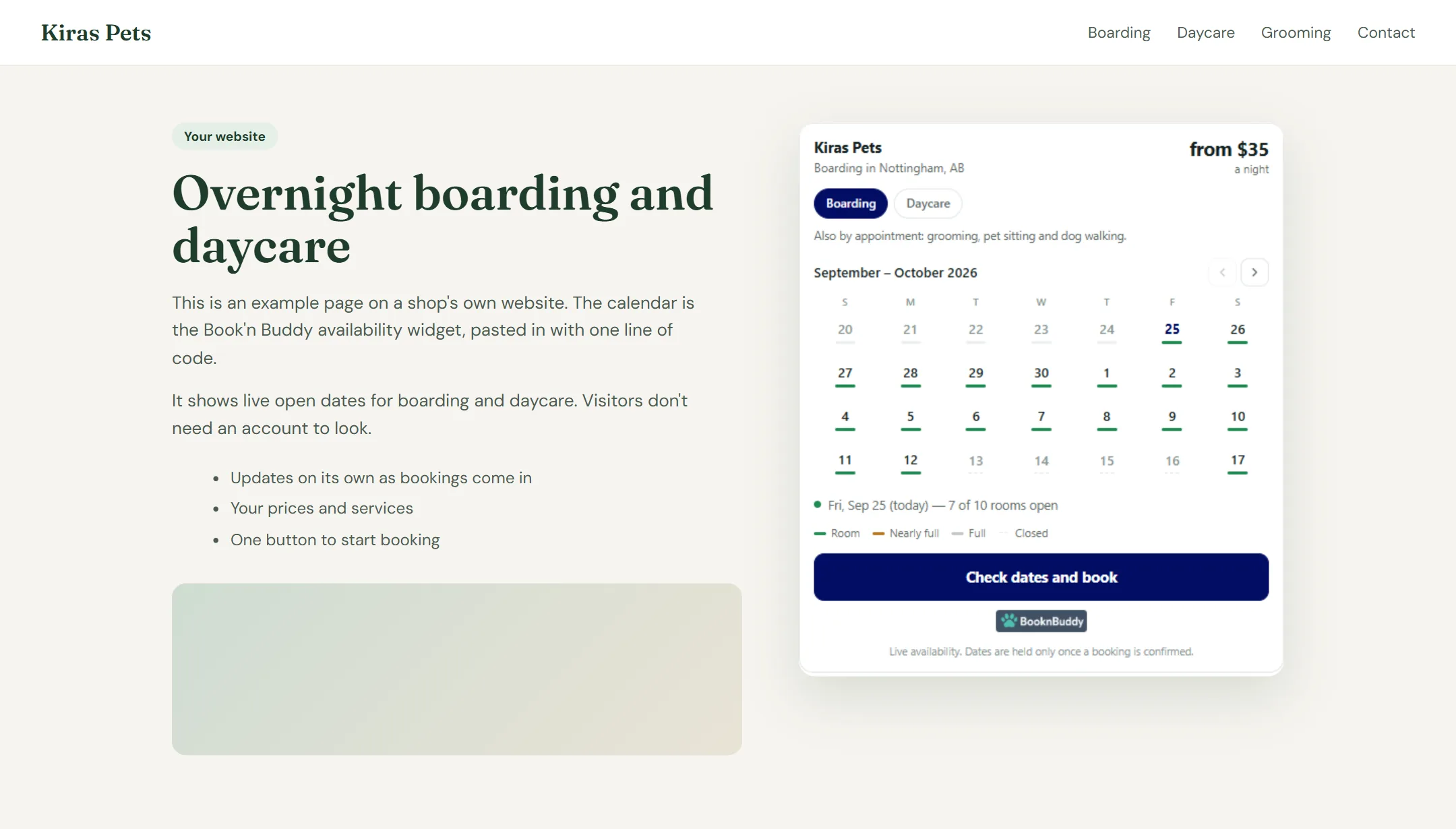
- 1Visitors switch between your services, like boarding and daycare.
- 2Each day shows a bar: room, nearly full, full or closed.
- 3Tap a day to see how many spots are open.
- 4One button takes them straight to booking.
Hover a number, or tap the screen to see it full size.
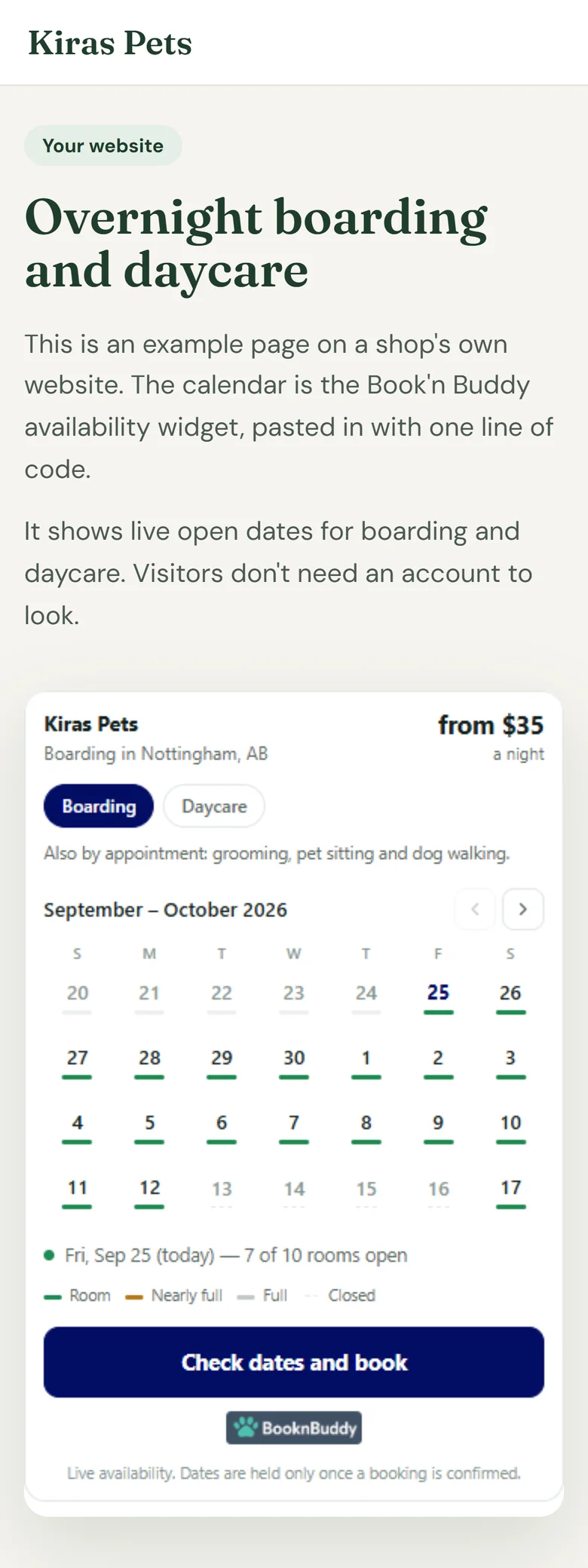
- 1The same widget fits a phone screen on its own.
- 2Live open dates, with no account or login needed.
- 3The button opens your booking page.
Hover a number, or tap the screen to see it full size.
What it does
Share a sign-up link or QR code, send people straight to your booking page, or put a live availability calendar on your own website with no login needed.
Sign-up link
New clients create an account and are connected to your business automatically.
QR code
Print it for the front desk, flyers or business cards.
Booking page
Your live calendar and services, for "Book now" buttons and your Google profile.
Web-only link
For clients who will not install an app.
Availability widget
A small live calendar for your own website that shows open dates, with no login.
Embeds
Full calendar, Book Now and Book Now Direct embeds.
How it works
Pick a link
Sign-up, booking page or widget.
Put it out
Website, Google, socials, texts.
People book
Or sign up and book later.
They are yours
Connected to your business.
What your clients see
Visitors see your real availability and services and can start booking straight away.
Questions
Can I put booking on my own website?
Yes. Use the booking page link, an embed, or the availability widget.
Do visitors need an account to see availability?
No. The availability widget works without a login.
Is there a QR code?
Yes, for your sign-up link.
Related features
Try it with your own bookings
Every feature is included. Start a free trial, no card needed.